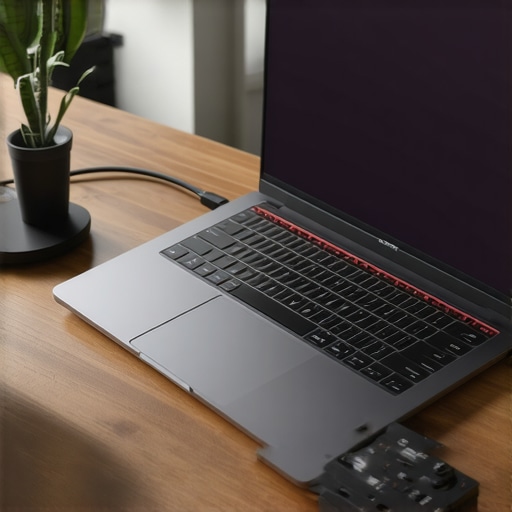
Ever spent hours hunched over your laptop, neck aching, struggling to find that perfect angle, only to realize your workspace isn’t quite up to the task? I’ve been there. I remember the lightbulb moment when I finally understood that my setup was holding me back more than I’d like to admit. It wasn’t just about having the newest gadgets; it was about making my workspace work for me. That realization changed everything, and I want to share that journey with you.
The Struggle for a Comfortable, Efficient Workspace
Picture this: You’re in the middle of an important project, and your laptop is just a little too low, making your neck strain and your wrists uncomfortable. Your desk is cluttered, and your connection ports are all over the place. Sound familiar? If so, you’re not alone. Many of us aren’t fully aware of how much these small details impact our productivity and well-being. When I first started, I made the mistake of relying on makeshift solutions—stacking books to raise my laptop, using generic hubs that didn’t fit my needs, and ignoring external storage options that could have saved me hours of frustration.
But here’s the good news: once I invested in a proper laptop stand, a quality USB-C hub, and an external SSD, my entire workflow transformed. Not only did I feel better physically, but I also became more productive and organized.
Is Investing in These Accessories Really Worth It?
This is probably your biggest concern—are these upgrades worth the money and effort? Trust me, I’ve been there. I used to think I could get by with cheap alternatives. Early on, I bought a cheap hub that kept disconnecting, which cost me precious time. That was a mistake I learned the hard way. The right accessories aren’t just about style; they’re about functionality and long-term comfort. In fact, according to a study by researchers, ergonomic setups can reduce fatigue and increase productivity by up to 25%. That’s a pretty compelling reason to invest wisely.
So, if you’ve ever found yourself frustrated with your current setup, unsure if upgrading is worth it, stick around. We’re going to explore how to choose the best accessories for your needs—no fluff, just practical advice to make your workspace truly work for you in 2025.
Choose the Right Laptop Stand for Your Desk
Start by selecting a laptop stand that elevates your device to eye level. I once bought a cheap, adjustable stand that wobbled every time I typed, causing frustration. Later, I switched to a sturdy, adjustable stand from top-rated options. It improved my posture instantly and reduced neck strain. Measure your workspace and your laptop’s dimensions before purchasing. Look for features like ventilation and portability if you work on the go.
Set the Correct Height and Angle
Once you have your stand, adjust it so your eyes look straight at the screen, not down or up. This reduces neck strain and improves focus. For example, I initially placed my laptop on a stack of books, which was unstable. Using a dedicated stand provided a stable, ergonomic solution that lasted years. Remember, the goal is to keep your elbows at a 90-degree angle and wrists straight when typing. Use a proper setup guide to fine-tune your positioning.
Upgrade to a Quality USB-C Hub for Seamless Connectivity
Next, connect your laptop to peripherals with a reliable USB-C hub. I once used a cheap hub that kept disconnecting during important calls, causing major disruptions. Switching to a high-quality hub from top brands changed everything. Look for hubs with multiple ports—USB-A, HDMI, SD card reader, Ethernet—matching your needs. When I set up my hub, I organized cables with Velcro straps, reducing clutter and trip hazards. Check the hub’s compatibility with your laptop model to avoid connection issues.
Prioritize Fast Data Transfer with External SSDs
Finally, optimize storage with an external SSD. I once struggled with slow external drives, waiting minutes to transfer files. Upgrading to a fast external SSD transformed my workflow. For creative professionals or heavy multitaskers, an external SSD offers quick access to large files. Place it in a dedicated port on your hub or directly into your laptop for maximum speed. Regularly back up important data to prevent loss and maintain productivity.
Implementing these steps in your workspace setup will dramatically increase comfort and efficiency. Remember, each accessory should serve your workflow, not complicate it. For more insights on upgrading your mobile setup, visit this guide.
Many enthusiasts dive into upgrading their workspace with the latest accessories, but let’s dig deeper into what most get wrong about this process. One prevalent misconception is that more expensive or feature-rich accessories automatically translate to better productivity or ergonomics. In reality, the key lies in understanding your specific needs and how each accessory interacts with your workflow. For instance, a high-end laptop stand is useless if it doesn’t elevate your screen to eye level or if it’s incompatible with your device size. Customization and proper fit matter more than just brand reputation.
Why the Popularity of USB-C Hubs Sometimes Leads to Disappointment
Another common pitfall is overestimating the compatibility and robustness of USB-C hubs. Many buy cheap hubs expecting seamless performance, but these often disconnect or don’t support high data transfer speeds, leading to frustration and wasted time. The real trick is to select a hub designed for your specific laptop model and usage scenario. A high-quality hub with multiple ports, including Ethernet and SD card readers, can streamline your workflow significantly, but only if properly matched to your needs. Avoid the trap of buying the most popular or cheapest option without researching its specifications and reviews—this is a mistake I made early on, which cost me valuable hours.
External SSDs: Bigger Isn’t Always Better
Many assume that larger capacity external SSDs are the best choice, but this overlooks the importance of speed and compatibility. An external SSD that offers fast data transfer rates can dramatically improve your productivity, especially when working with large files or creative projects. However, if you connect a bulky drive to a port that isn’t compatible or doesn’t support the latest standards, you’re not maximizing its potential. A common mistake is neglecting to verify whether your laptop’s ports support the SSD’s transfer speeds, leading to bottlenecks. Prioritize drives with proven fast read/write speeds, such as those reviewed in this guide. If you want to learn more about pairing external drives with your setup, check out our comprehensive setup guide.
So, what’s the takeaway? The secret is to align your accessories with your workflow, not just the latest trends. Do your research, test compatibility, and focus on how each piece enhances your productivity and comfort. Have you ever fallen into this trap? Let me know in the comments, and remember—an informed upgrade is always a smarter one.
Maintaining an efficient workspace isn’t a one-and-done task; it’s an ongoing process that ensures your tools stay reliable and your workflow remains uninterrupted. From hardware upkeep to software optimization, I’ve developed a set of routines and tools that keep my setup performing at its best year-round. Let me share the methods I personally use to keep everything running smoothly and how you can implement them too.
Regular Hardware Checks and Upkeep
First and foremost, I schedule monthly hardware inspections. This involves cleaning dust from vents and ports using compressed air, which prevents overheating and connectivity issues. I also verify that my external devices, like SSDs and hubs, are functioning correctly by running diagnostic tools such as CrystalDiskInfo for drives — I trust it because it provides detailed health reports and SMART data. Keeping firmware and drivers updated is equally critical; I set reminders to check for updates on my laptop and accessories, ensuring everything stays compatible and secure. Regular physical inspection prevents surprises that could otherwise lead to downtime during critical projects.
Software Maintenance for Peak Performance
On the software side, I use CCleaner weekly to clear out junk files and optimize my system’s performance. It’s a simple, effective tool that I rely on personally because it frees up space and reduces background bloat. I also schedule periodic malware scans using Malwarebytes, which keeps my system safe from threats that could compromise productivity. Additionally, backing up my data with external SSDs ensures that I won’t be caught unprepared if hardware fails. A consistent backup routine is vital for long-term peace of mind.
Optimize Your Workspace Environment
Beyond hardware and software, maintaining a clean and organized workspace directly impacts efficiency. I use a monitor stand and cable organizers to keep everything tidy, which reduces stress and saves time when connecting peripherals. Regularly cleaning my desk surface, including screens and keyboards, prevents buildup of dust and grime that can impair functionality. A fresh environment helps me stay focused and prevents long-term wear on my equipment.
How do I maintain my setup over time?
Consistency is key. I set calendar reminders for hardware checks, software updates, and backups. Additionally, I keep a checklist of maintenance routines tailored to my specific devices and accessories. This systematic approach ensures nothing slips through the cracks and keeps my setup reliable. For example, I review my ergonomic setup periodically, adjusting my USB-C hubs or laptop sleeves to ensure they still meet my needs. Staying proactive with maintenance saves me from costly repairs and productivity losses down the line.
Looking ahead, I believe automation will play a bigger role in workspace maintenance. Automated backup solutions, firmware update schedulers, and AI-powered diagnostics are on the rise — tools that will make ongoing upkeep even easier. I recommend trying out a routine with tools like Macrium Reflect for backups or BatteryCare to monitor battery health if you’re on a laptop. These simple steps can extend your equipment’s lifespan and keep your workflow smooth.
Remember, a well-maintained workspace isn’t just about preventing problems — it’s about creating an environment where your productivity can thrive without unnecessary interruptions. Want to explore more innovative accessories that can streamline your maintenance routines? Check out this guide for ideas tailored to 2025’s tech landscape. Don’t wait for issues to arise—start your maintenance routine today and experience the difference it makes!
The Hardest Lesson I Learned About Workspace Optimization
One of the toughest lessons I faced was realizing that expensive gadgets won’t solve all ergonomic issues. It’s easy to get distracted by shiny new accessories, but understanding your unique workflow and body needs is crucial. I learned that a misaligned laptop stand or a subpar hub can undo even the best intentions, which taught me to prioritize functionality over brand names.
My Essential Toolkit for an Upgraded Workspace
Over time, I found that investing in a high-quality laptop stand and a reliable USB-C hub transformed my daily routine. An external SSD became my secret weapon for faster workflows. Trusting these tools comes from personal experience and detailed reviews, which helped me avoid common pitfalls and maximize efficiency.
Embrace Your Workspace Journey Today
Don’t wait for discomfort or frustration to push you toward change. The future of workspace optimization is about continuous improvement and personal tailoring. Start by assessing your current setup, then explore the tailored accessories that fit your needs—whether it’s ergonomic stands, fast external drives, or seamless connectivity hubs. Your productivity and comfort are worth it. Ready to elevate your workspace? Share your biggest upgrade challenge below and let’s discuss how to conquer it together!
Reading through this post really resonated with my own experience upgrading my workspace. I used to rely on makeshift solutions like using an old stack of books to elevate my laptop, which was far from ergonomic or stable. Since investing in a sturdy, adjustable laptop stand and a quality USB-C hub, my posture has improved significantly, and I no longer struggle with disconnects or cluttered cables. One thing I’ve learned is that small, thoughtful upgrades can have a huge impact on overall productivity and comfort. Have others found that switching to a more organized setup also helped reduce their daily stress levels? I believe that customizing your workspace to fit your specific needs—not just following trends—really makes a difference in long-term work satisfaction and health.
This post really hits home for me, especially the part about how investing in the right ergonomic accessories can change your entire workflow. I remember when I first upgraded to a sturdy laptop stand and a high-quality USB-C hub, and the difference was immediate — my neck and shoulders felt so much better, and I was able to concentrate longer without discomfort. The funny thing is, I used to underestimate how much these small upgrades could improve productivity and overall health. Have others experienced a noticeable change in their energy levels or focus after adjusting their workspace? I’ve found that even simple things like cable management and proper height adjustment make a big difference in creating a more peaceful, efficient work environment.
I completely agree with the importance of ergonomic setups and quality accessories. Upgrading my workspace with a good laptop stand and a reliable hub actually made me realize how much physical comfort impacts mental clarity and productivity. One challenge I faced was figuring out the right height for my stand to avoid neck strain, especially since my desk height varies depending on my chair. I found that using a portable adjustable stand allowed me to customize my setup for different environments, which was a game-changer. Has anyone else experienced differences in comfort and focus when experimenting with different stand positions or accessories? Sometimes small tweaks can make a huge difference, and I believe investing in these tools is well worth the effort for long-term health.