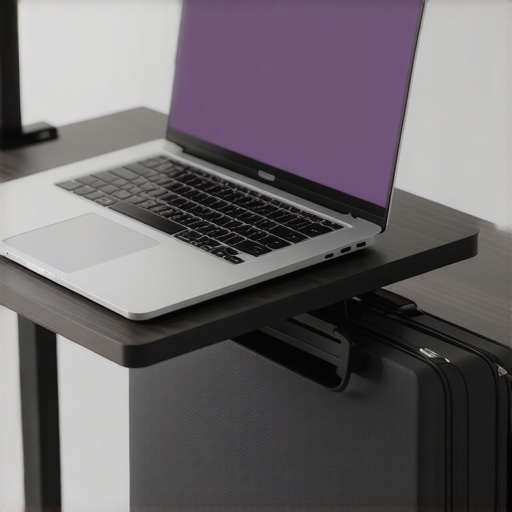
Ever had that moment where you sit at your desk, laptop in hand, only to realize your neck is strained, your wrists ache, and your workspace feels more cluttered than productive? That was me not too long ago. I thought I was doing everything right—until I hit a wall of discomfort and inefficiency. It was a lightbulb moment that pushed me to dig deeper into the world of ergonomic accessories, especially laptop stands and cases. Now, I can’t imagine my setup without them, and I want to share that journey with you.
Why Your Laptop Setup Could Be Holding You Back
The truth is, a lot of us underestimate how much our environment impacts our productivity. I used to think that just having a powerful machine was enough. But after a few months of persistent neck pain and constant fatigue, I realized I needed to rethink my entire workspace. That’s when I discovered the importance of laptop stands and cases. These simple tools can transform your work experience, making it more comfortable, efficient, and even stylish.
Is All the Hype About Laptop Accessories Just Marketing?
Honestly, I was skeptical at first. I made the mistake of buying a cheap stand that looked promising but turned out to be flimsy and unstable. That early mistake taught me the importance of quality and proper fit. It’s tempting to think you can get by with just any stand or sleeve, but investing in well-designed accessories pays off in long-term comfort and productivity. Plus, with so many options tailored for the year 2025, you can find solutions that perfectly match your workflow and style.
Choose the Right Laptop Stand for Your Workspace
Start by selecting a stand that elevates your laptop screen to eye level, reducing neck strain. I once tried a cheap, adjustable stand that wobbled every time I typed, causing frustration. Then I invested in a sturdy, adjustable stand from top brands. The difference was immediate—my posture improved, and I felt less fatigue after long sessions. To find your ideal stand, consider factors like height adjustment, stability, and portability. Check out this guide for detailed reviews and recommendations.
Set Up Your Stand Correctly
Place the stand on a flat, stable surface. Ensure your laptop’s top edge is aligned with your eyes; this minimizes neck bend. Use a separate keyboard and mouse if possible to keep your wrists in a neutral position. I remember struggling with a stand that was too high, causing shoulder tension. With adjustments, I found the sweet spot that felt natural. Remember, a good setup not only boosts comfort but also enhances productivity. For ergonomic tips, visit this resource.
Invest in a Quality Laptop Sleeve or Case
Protecting your device while maintaining style is essential. I used to throw my laptop into a bag, risking scratches and damage. Switching to a dedicated sleeve from top-rated sleeves changed that. Choose a sleeve with padding, a snug fit, and a sleek design that matches your workflow. A good case also makes commuting easier and safer, especially with the rise of mobile work in 2025. Check out this selection for inspiration.
Combine Your Accessories for Maximum Efficiency
Pair your stand with a USB-C hub, external SSD, and a stylish sleeve. I learned that having a multi-port hub like those featured here allows seamless connectivity. An external SSD from this guide gave me faster file transfers and more storage. Integrating these tools creates a mobile, efficient workspace adaptable to any environment. For a comprehensive setup, explore this overview.
Many enthusiasts and even seasoned professionals often fall prey to misconceptions about ergonomic accessories like laptop stands and cases. While it’s tempting to believe that any cheap stand or sleeve will do the trick, the truth runs much deeper. Let’s dig into some nuanced truths and common mistakes that can sabotage your setup, even if you think you know best.
Why Not All Laptop Stands Are Created Equal
It’s easy to assume that any adjustable or portable stand will improve your posture. However, many low-cost options compromise stability or ergonomics, leading to more strain rather than relief. For example, a stand that wobbles or doesn’t elevate your screen to eye level can cause neck pain over time. Quality matters—look for sturdy materials and precise height adjustments. This is why I recommend exploring innovative accessories that are designed with long-term comfort in mind.
Common Myths About Laptop Sleeves and Cases
Many believe that all cases are just about style or protection. In reality, a poorly fitted sleeve can add unnecessary friction during commutes and even expose your device to damage. The secret lies in selecting a sleeve with proper padding, snug fit, and durable materials. Investing in a high-quality case isn’t just about looks, but about safeguarding your investment for years. Check out this curated list of sleeves for 2025.
Advanced Mistake: Overlooking Ergonomic Synergy
A common mistake is thinking that individual accessories alone can optimize your workspace. The real secret is how they work together. For instance, pairing an adjustable stand with a high-quality USB-C hub and an external SSD can create an ergonomic, efficient mobile setup. But if these components don’t coordinate in height, placement, and connectivity, you might end up with a setup that’s uncomfortable or inefficient. To truly upgrade your workspace, consider how accessories complement each other. For a comprehensive approach, explore this guide.
Have you ever fallen into this trap? Let me know in the comments. Remember, the key to a productive setup isn’t just buying the latest gadgets but understanding their nuances and how they work together. With the right knowledge, you can avoid costly mistakes and create a workspace that truly supports your workflow.
Maintaining your ergonomic workspace and tech accessories over time ensures sustained productivity and comfort. From cleaning routines to choosing durable equipment, I’ll share the tools and methods I personally trust to keep my setup running smoothly. Regular upkeep not only prolongs the lifespan of your accessories but also guarantees that your workspace remains efficient, especially as technology evolves toward more integrated solutions in 2025.
How do I maintain my workspace and accessories over time?
Consistency is key. I start with a simple routine of cleaning my USB-C hub, keyboard, and monitor weekly. Using a microfiber cloth and a gentle electronics cleaner prevents dust buildup and grime, which can impair connections and cause overheating. For my laptop stand, I regularly check the screws and hinges—tightening or replacing parts as needed. This proactive approach avoids sudden failures and keeps my ergonomic setup stable.
Investing in quality cleaning supplies, like compressed air cans and anti-static brushes, helps me remove dust from hard-to-reach places without risking damage. Additionally, I schedule quarterly reviews of my accessories, swapping out worn-out sleeves or updating my external SSDs with newer models from this guide to ensure optimal performance.
Tools I recommend for long-term durability
First, a multi-tool kit with screwdrivers of various sizes is essential for tightening or replacing hardware components. I personally keep a set from a reputable brand, which prevents stripping screws and ensures proper fit. For cleaning, I rely on electronic-safe wipes and compressed air, which I use monthly to keep ports and vents free of dust.
My favorite software tool is a system monitoring app that alerts me to temperature spikes or battery health issues, allowing me to act before problems escalate. This proactive maintenance is crucial as devices become more integrated and complex.
Preparing for the future of workspace management
As trends lean toward even smarter accessories, I predict that AI-driven diagnostics and maintenance alerts will become standard. Devices will notify us of impending failures or suggest preventive actions, simplifying upkeep. Until then, sticking to proven tools and regular routines remains our best bet for a resilient setup.
Try incorporating a monthly cleaning schedule using these tools, and see how much longer your accessories last while maintaining peak performance. Remember, a little effort today prevents costly replacements tomorrow!
The Hardest Lesson I Learned About Laptop Ergonomics
One of my most eye-opening experiences was realizing that a cheap, wobbly stand could actually hinder my comfort rather than help it. It taught me to prioritize stability and proper height adjustment, which made a dramatic difference in my daily productivity. This lesson made me deeply value quality over price when choosing accessories, especially in a rapidly evolving tech landscape like 2025.
My Top Picks for a Smarter Workspace
Over the years, I’ve curated a toolkit that keeps my setup optimized: from a sturdy, adjustable laptop stand to a sleek, padded laptop sleeve. These choices aren’t just about aesthetics—they’re about enhancing comfort, protecting my device, and seamlessly integrating into my workflow. For a comprehensive upgrade, check out this curated list.
Empowering Your Workspace Journey
Don’t wait for discomfort to force your hand. Take action today by experimenting with ergonomic accessories and setting up your workspace for success. Remember, the right tools are an investment in your health and productivity. Dive into the latest innovations and practical tips to elevate your setup for 2025 and beyond, because your workspace deserves more than just the basics.
What’s your biggest challenge when creating an ergonomic workspace? Drop your thoughts below—let’s learn from each other’s experiences!