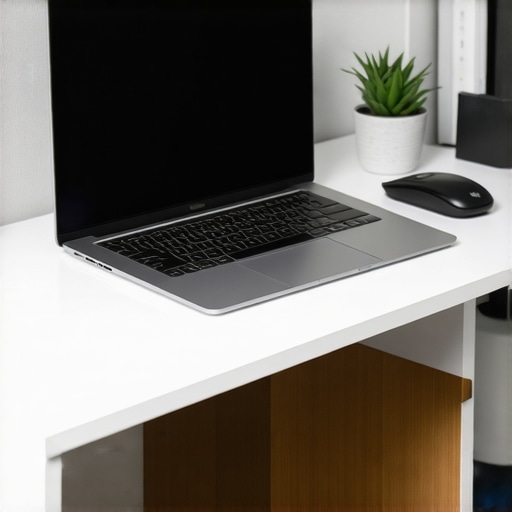
Ever find yourself hunched over your laptop, neck strained, back aching, wishing for a simple fix that could turn your workspace into a haven of comfort? I’ve been there. I vividly remember the moment I realized my poor posture was costing me more than just discomfort—it was draining my focus and productivity. That lightbulb moment led me down a rabbit hole of exploring accessories that could make a real difference, and today, I want to share what I discovered about the power of a good laptop stand and the right accessories in 2025.
Why Your Workstation Deserves an Upgrade
Let’s be honest. Most of us spend hours glued to our screens, often sacrificing ergonomics for convenience. But here’s the thing—your health and efficiency are on the line. An adjustable laptop stand can elevate your device to eye level, drastically reducing neck strain. Paired with quality accessories like external keyboards, mice, and portable SSDs, your setup transforms from a makeshift desk into a productivity powerhouse. The best part? It’s easier than you might think to create a workspace that promotes comfort and boosts your output. If you’ve ever faced daily fatigue or frustration over your workspace, you’re not alone. And trust me, small upgrades can lead to big improvements.
Is Investing in a Laptop Stand Really Worth It?
I used to dismiss the idea as a luxury, not a necessity. My early mistake was thinking I could work comfortably without any ergonomic support—until I started experiencing persistent neck and shoulder pain. It was only then that I realized that cheap, flimsy stands or ignoring proper positioning was a false economy. When I finally invested in a sturdy, adjustable stand, my posture improved, and so did my focus. It’s a game-changer, especially with the variety of innovative options available today, from sleek foldable stands to those with built-in cooling. Want to see what the fuss is about? Check out the ultimate guide to laptop stands for tips on choosing the right one for your needs.
Choose Your Ideal Laptop Stand
Start by evaluating your workspace and identifying the pain points—whether it’s neck strain, clutter, or heat buildup. I remember the first time I tested a foldable stand, struggling to set it up amid my cluttered desk. It was messy, but I learned to prioritize adjustable and sturdy options that fit my workflow. Look for stands with adjustable height and tilt to customize your setup—these are game-changers. Visit this guide to find the best fit for your needs.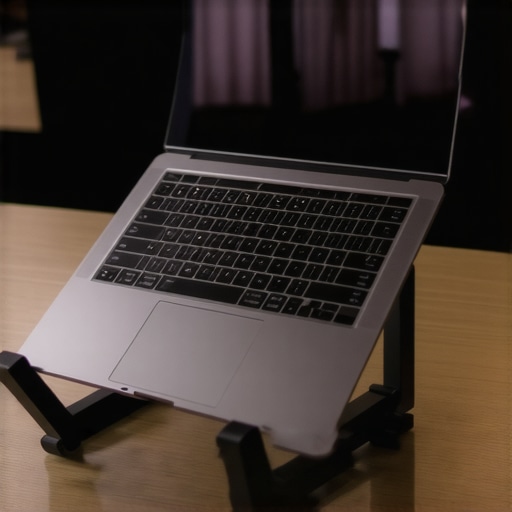
Pair with External Peripherals for Comfort
Next, enhance your ergonomics with an external keyboard and mouse. I once tried working solely with my laptop’s keyboard, which led to wrist fatigue. Switching to a full-sized external keyboard and a precision mouse improved my comfort significantly. Opt for wireless options to keep your workspace clean and clutter-free. When selecting peripherals, focus on those with ergonomic designs—your wrists and shoulders will thank you. Check this resource for top recommendations.
Optimize Storage and Connectivity
In 2025, seamless connectivity is vital. Invest in a quality USB-C hub that offers multiple ports—USB, HDMI, SD card slots—to connect all your devices effortlessly. I once struggled with constant cable clutter until I upgraded my hub, which made my workflow smoother. Pair this with an external SSD to expand your storage without sacrificing speed. I found that a portable SSD with fast read/write speeds significantly reduced my file transfer times. Discover the best options at this guide.
Protect and Style Your Setup
Finally, don’t overlook the importance of protective accessories. A sleek laptop sleeve not only shields your device but adds style to your setup. I recommend selecting a sleeve that matches your aesthetic and provides ample padding. For mobility, consider a lightweight case that won’t weigh you down. Check out the top sleeves for 2025 to find your perfect match.
While many believe that a basic laptop stand is just a luxury, the truth is that overlooking its nuanced benefits can lead to advanced ergonomic issues over time. A common myth is that cheap, non-adjustable stands are sufficient, but in reality, these can cause more harm than good by failing to accommodate individual ergonomic needs. Investing in a high-quality, adjustable stand ensures your setup promotes optimal posture, reducing long-term strain. Many users also underestimate the importance of proper peripheral placement; an external keyboard and mouse should be positioned to keep wrists straight and shoulders relaxed. Misaligned peripherals, even with a good stand, can lead to repetitive strain injuries (RSIs) — a point supported by ergonomic research from the expert community.
Why do so many still fall for the wrong accessories?
It’s often because of a lack of awareness about the subtle but critical differences that make a real ergonomic impact. For example, a portable stand with minimal adjustability might seem convenient but can cause neck strain if it doesn’t allow you to elevate your screen to eye level. Similarly, choosing peripherals solely based on aesthetics rather than ergonomic design can lead to discomfort. Advanced users should also pay attention to the quality of their connectivity hubs; a top USB-C hub can ensure seamless connection without data bottlenecks, which many overlook in their setup.
Furthermore, some believe that all external SSDs are created equal, but high-performance drives with fast read/write speeds significantly enhance workflow efficiency, especially if you handle large files regularly. Discover more about these innovative accessories that can refine your workflow.
Another trap to avoid is neglecting the importance of protective accessories like laptop sleeves. Many users think they are just for portability, but a well-chosen sleeve protects your device from accidental damage, which can be costly in the long run. Remember, even the best ergonomic setup won’t help if your device gets scratched or dented during commutes.
In summary, understanding the nuanced differences—like adjustable stands, ergonomic peripherals, high-speed external SSDs, and protective cases—can dramatically elevate your workspace. Don’t fall for the myth that more affordable, non-adjustable accessories are enough; instead, prioritize quality and adaptability to truly optimize your productivity and health. Have you ever fallen into this trap? Let me know in the comments.
Maintaining an efficient and ergonomic laptop workspace isn’t a one-and-done task; it requires ongoing attention and the right tools to ensure long-term productivity. Over the years, I’ve found that the secret to a resilient setup is investing in high-quality peripherals and adopting smart maintenance routines that adapt to evolving technology. Today, I want to share the specific tools and methods I rely on to keep my setup in top shape, so you can do the same in 2025 and beyond.
Invest in a Reliable External SSD for Longevity
One of the first tools I recommend is a durable external SSD with fast read/write speeds. In my experience, a high-performance drive like the Samsung T7 ensures that my data transfers are swift and reliable, minimizing downtime. Regularly backing up critical files to my external SSD has become a habit—preventing data loss from unexpected hardware failures. To keep my external storage performing optimally, I follow the tips outlined in this guide. In 2025, I predict that external SSDs will integrate even better with cloud services, offering hybrid solutions that make data management seamless and effortless.
Use a Quality USB-C Hub for Consistent Connectivity
Seamless connectivity is crucial, especially as port standards evolve. I personally use a top-tier USB-C hub with multiple ports, including HDMI, SD card slots, and additional USB-A ports, like the Anker PowerExpand. This hub keeps my devices connected without bottlenecks. I also make it a point to clean and check my hub’s connections monthly, ensuring pins are free of dust and corrosion. The ultimate guide offers excellent advice on selecting hubs that match your workflow needs. As future devices favor Thunderbolt 4 and USB4, investing in a versatile hub now will future-proof your setup.
Maintain Your Ergonomics with Adjustable Stands and Peripherals
My ergonomic setup relies on an adjustable laptop stand, which I adjust daily to match my sitting posture. To prevent wrist fatigue, I use a high-quality external keyboard and mouse, which I clean weekly with a gentle disinfectant and compressed air to remove dust. These small routines prevent discomfort and prolong the lifespan of my peripherals. For inspiration, check this resource on ergonomic accessories. Looking ahead, I believe that smart, AI-driven ergonomic tools will become commonplace, alerting users when their posture deviates or when peripherals need maintenance.
Protect Your Investment with Regular Care
Protective cases and sleeves are not just for portability—they are essential for longevity. I inspect my sleeve and case monthly for signs of wear and replace them as needed, referencing this guide for the latest styles. A clean, well-maintained device not only looks professional but also functions better, reducing overheating and hardware issues. In the future, I see protective accessories integrating smart materials that change color or texture to indicate damage or wear.
How do I maintain my setup over time?
Regular maintenance routines are key. Schedule monthly checks of your peripherals, clean ports and vents, and update device firmware and drivers. Staying proactive prevents small issues from becoming costly repairs. Additionally, I keep a log of maintenance tasks and upgrades, which helps me adapt my setup as technology advances. Remember, your tools are only as good as your commitment to their upkeep. If you want personalized advice or assistance in optimizing your setup, don’t hesitate to reach out.
Transforming your mobile workspace isn’t just about picking the latest gadgets—it’s about understanding the nuanced lessons learned along the journey. Here are some insider reflections that can help you sidestep common pitfalls and elevate your setup to new heights in 2025.
The Hardest Lesson I Learned About Ergonomic Setup
I once believed that a cheap, non-adjustable stand was sufficient. It wasn’t until months of neck and shoulder pain that I realized how vital proper ergonomic support is. Investing in an adjustable stand changed everything, teaching me that quality always trumps cost when it comes to health and productivity.
3 Myths About Laptop Accessories That Held Me Back
One big misconception was that all external peripherals are created equal. I used to buy aesthetic-looking accessories without considering ergonomics or build quality, which led to discomfort. Now I know that choosing tools designed for comfort and durability makes a significant difference in daily performance.
What Experts Won’t Tell You About Connectivity and Storage
Many overlook the importance of a high-quality USB-C hub and fast external SSDs. In my experience, investing in a versatile hub with multiple ports and a reliable SSD reduces clutter and speeds up workflow—saving time and frustration, especially with larger files. Discover my favorite tools in this comprehensive guide.
Curated Recommendations for a Future-Ready Setup
My essential toolkit includes a highly adjustable ergonomic laptop stand, like the ones reviewed here, a wireless ergonomic keyboard and mouse for comfort, a durable external SSD such as the Samsung T7, and a top-rated USB-C hub. These tools have consistently helped me maintain a healthy and efficient workflow, even on the busiest days.
Becoming Your Own Workspace Advocate
Now, it’s your turn. Don’t wait until discomfort or inefficiency forces you to change. Investing in the right accessories and routines today can revolutionize your mobile work experience. Remember, your setup is an ongoing project—continually refined with smarter tools and habits. Ready to elevate your workspace? Share your experiences or ask questions below—I’m here to help you succeed in 2025 and beyond.