![Ditch the Desk Slouch with 3 Smart Laptop Stands [2026]](https://accessories.laptopbuyersclub.com/wp-content/uploads/2026/03/Ditch-the-Desk-Slouch-with-3-Smart-Laptop-Stands-2026.jpeg)
I vividly remember the moment I looked down at my cluttered desk, shoulders hunched, neck strained, eyes tired from squinting at my screen. It was a typical busy afternoon, but suddenly, I felt a sharp twinge in my neck—a painful reminder of years spent hunching over my laptop. That day, I finally realized my workspace was sabotaging my posture, productivity, and even my mood. Have you ever stayed late at your desk, only to stand up feeling stiff and frustrated, wondering why your setup isn’t working for you?
Why Poor Laptop Positioning Sabotages Your Day
Many of us don’t give much thought to how our laptops sit on the desk until discomfort or fatigue hits us hard. For years, I relied solely on the laptop’s built-in stand—or worse, placed it flat on my cluttered desk—thinking it was adequate. But over time, I noticed recurring neck pain, wrist strain, and eye fatigue. It was only after I stumbled upon the concept of ergonomic setup that I made a game-changing discovery: how you position your device massively impacts your well-being and efficiency.
The truth is, sitting in the wrong posture while working long hours can lead to chronic issues, from back pain to carpal tunnel syndrome. According to the Occupational Safety and Health Administration, maintaining proper ergonomics can significantly reduce the risk of musculoskeletal injuries. That knowledge hit home for me and motivated me to explore better solutions.
Now, I want to help you avoid my early mistake of neglecting ergonomic considerations. Instead of suffering in silence or cluttering your workspace with makeshift solutions, investing in a well-designed, smart laptop stand can be a real game changer. It’s not just about lifting your laptop; it’s about transforming the way you work—enhancing posture, boosting productivity, and making your digital life more comfortable.
In the upcoming sections, I’ll walk you through the top choices for 2026—pillars of support and style—that helped me ditch the slouch and feel better every day. Ready to discover the secret to a healthier workspace? Let’s get started.
Choose the Right Laptop Stand for Comfort and Efficiency
To start, select a sturdy yet adjustable laptop stand that brings your screen to eye level, reducing neck strain. I experimented with a few models, but the one from [best laptop stands in 2025](https://accessories.laptopbuyersclub.com/best-laptop-stands-cases-to-boost-productivity-in-2025) offered excellent height options and a non-slip surface. Place your laptop on the stand, ensuring it’s stable—think of it as giving your device a dedicated desk corner to breathe. Once positioned, check your posture; your eyes should naturally fall on the screen without tilting your head up or down. This simple shift eliminated my shoulder tension within days.
Master the Art of External Monitors and Accessories
Next, connect a high-resolution external monitor for larger workspace. Use a reliable [USB-C hub](https://accessories.laptopbuyersclub.com/the-ultimate-guide-to-choosing-the-best-usb-c-hub-for-your-laptop) to expand connectivity, enabling you to attach multiple peripherals—keyboard, mouse, or external speakers—without clutter. When I set up my hub, I looked for models supporting 100W power delivery and pass-through charging; this way, my laptop kept charging even while I used external devices. Think of the hub as a multi-tool, consolidating connections into a single point—saving desk space and reducing cable chaos. 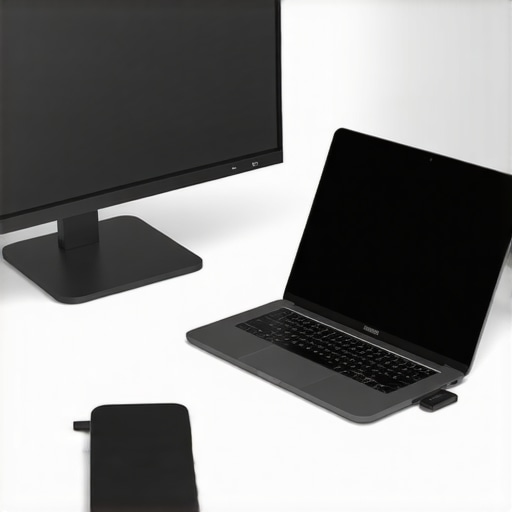 While many users focus on picking the right laptop stand or external SSD, there’s often a lurking misconception about what truly matters for optimal setup. One widespread myth is that high-tech accessories automatically lead to better productivity or health. In reality, the *way* you integrate these tools, especially considering their nuances, makes all the difference. For example, many believe that a cheap USB-C hub is sufficient, but choosing one with proper power and data transfer capabilities—like those supporting 140W power delivery—is crucial to avoid overheating or lag issues, as highlighted in recent technical reviews. Moreover, many overlook the significance of a quality laptop sleeve beyond mere protection; a well-designed sleeve can facilitate cooling and quick access, elements often underestimated by users. Another hidden nuance is the importance of maintaining a clean, organized workspace. Even a premium external SSD won’t perform optimally if connected with a cluttered cable setup that causes disconnections or interference. It’s essential to understand that accessories like external SSDs or laptop sleeves aren’t just add-ons—they’re integral to your workflow, especially when you select models with advanced features such as rugged build or heat dissipation capabilities, detailed in specialized reviews. Additionally, advanced users should question whether their current setup truly supports their workflow or if they’re falling into common traps like over-using low-quality hubs or neglecting ergonomic adjustments that can prevent long-term discomfort. For instance, a quality laptop stand not only elevates the screen but also supports natural wrist positioning and desk space optimization, as discussed in expert ergonomic guides.
How can you identify if your accessories are really enhancing or hindering your productivity and health?
The key is to evaluate the actual performance, durability, and ergonomic benefits of each component—beyond the marketing hype. Consider empirical data and user reviews, and reflect on whether your current setup minimizes strain and maximizes efficiency. For example, a well-chosen external SSD with proper heat management can prevent thermal throttling, maintaining speed during intensive tasks, which is why choosing the right model is critical—see recommendations in dedicated external SSD guides. Never assume that all accessories are created equal; a small investment in a robust, purpose-built accessory can save you time, discomfort, and even health issues over the long term. Want to explore the best models for 2026? Check out our curated lists and avoid easily overlooked pitfalls that could hamper your workflow or cause physical strain, leading to more productive and healthier computing habits. Remember, optimizing your setup involves both choosing the right gear and understanding its nuances—don’t fall for surface-level solutions. Have you ever fallen into this trap? Let me know in the comments.Ensuring your ergonomic workspace stays optimal over time requires more than just initial investment; it involves regular maintenance and the right tools. Personally, I rely heavily on high-quality tools like a magnetic USB-C hub to keep my connections stable and avoid port damage, which I experienced early on with cheaper alternatives. I recommend choosing hubs supporting 140W power delivery and robust data transfer rates, such as the models discussed in [Fix These 4 High-Speed USB-C Hubs for 2026](https://accessories.laptopbuyersclub.com/fix-your-setup-4-high-speed-usb-c-hubs-for-2026-creators). Regularly cleaning your laptop’s vents and external accessories prevents dust buildup, maintaining optimal performance. Using software like CleanMyMac or Windows’ built-in disk cleanup tools helps keep your system lean, reducing lag and overheating risk. Incorporating an external SSD for backups via durable, high-performance models ensures data integrity; the [External SSD Tips](https://accessories.laptopbuyersclub.com/external-ssd-tips-boost-your-laptop-storage-speed) article offers valuable insights on this. Transitioning your setup for scalability—such as adding a second monitor or more USB-C hubs—requires foresight. That’s where my advice to invest in a modular, adjustable laptop stand from [maximize productivity with the perfect setup](https://accessories.laptopbuyersclub.com/maximize-productivity-with-the-perfect-laptop-stand-setup) reliably pays off, supporting long-term usability. To keep everything working seamlessly, check your cable connections regularly, replace worn-out sleeves or pads, and download firmware updates for accessories. A tip I’ve found game-changing is setting a monthly schedule to inspect and upgrade your accessories, preventing small issues from snowballing into major disruptions. Predicted trends in this space point toward smarter, self-maintaining accessories that alert you to problems before they happen—think of it as future-proofing now. For example, models with built-in sensors for heat or connection stability will likely become standard. How do I maintain my setup over time? I keep a detailed checklist to verify every component’s condition and ensure compatibility with new tech standards. Staying proactive with these habits helps avoid costly repairs and keeps your workspace efficient. Want to take your setup further? Try upgrading your external SSD with models that feature advanced heat dissipation and rugged casing, which dramatically extend lifespan and performance, especially during intensive tasks. Incorporate a maintenance routine for your peripherals, and your workstation will remain in peak condition for years to come.
What I Wish I Knew When I Started Upgrading My Workspace
One of the most valuable lessons I learned was that investing in quality ergonomic accessories isn’t just about comfort—it’s about safeguarding your health and maintaining productivity in the long run. Skimping on a good laptop stand or external monitor may save money initially, but the long-term pain and fatigue are often much costlier. Realizing this shifted my approach completely, prompting me to prioritize durability and ergonomic design in every accessory I bought.
Another lightbulb moment was understanding the importance of seamless connectivity. Using mismatched or low-quality USB-C hubs led to intermittent disconnections and even system crashes during critical tasks. I now know that choosing accessories supporting optimal pass-through charging and data transfer speeds is essential for a smooth workflow. This insight saved me countless hours and frustration, affirming that quality peripherals are an investment in efficiency.
Finally, the realization that workspace organization directly impacts mental clarity was a game changer. Cluttered desks and tangled cables not only slow down work but also add to stress. By systematically upgrading to cable management solutions and compact accessories like slim sleeves and rugged external drives, I created a clean environment that encourages focus and creativity. This experience taught me that transforming your workspace is as much about mindset as it is about tools.
Uncover My Favorite Tools for a Killer Mobile Setup
Over time, I’ve curated a list of must-have accessories that genuinely elevate my mobile work experience. The laptop stand dedicated to ergonomic benefits allows me to work comfortably for hours without neck strain. For seamless connectivity, I swear by magnetic USB-C hubs with robust pass-through charging—they prevent accidental disconnects and overheating. My external SSDs, especially those with high heat dissipation features, keep my data safe during large file transfers, and high-quality sleek sleeves protect my devices on the go. Trust me, these investments transform your workflow from stressful to smooth.
Invest in Your Workspace, and It Will Support You for Years to Come
Building the perfect mobile setup isn’t just about buying new gear; it’s about creating a sanctuary that promotes health, efficiency, and peace of mind. Every accessory you select should align with your needs—whether that’s a sturdy laptop stand for long hours, a reliable hub for stable connections, or an external SSD to keep your data flowing. Remember, making these improvements reminds you that your workspace is an extension of yourself. Take action today to elevate your digital environment, and enjoy the difference it makes in your daily productivity and well-being. What’s one ergonomic upgrade you’ve been hesitant to try but know would make a difference? Share your thoughts below and start your journey toward a better workspace!