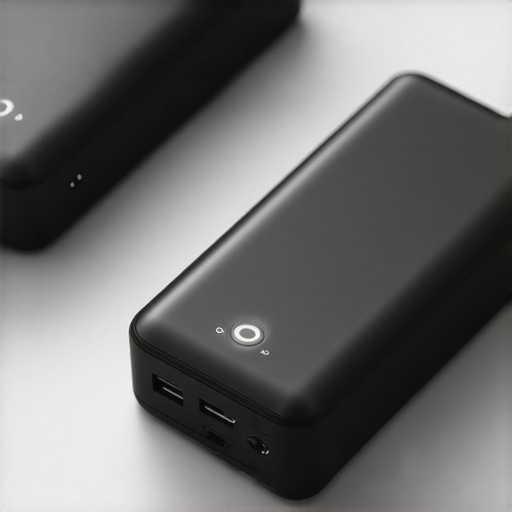
I remember the exact moment I realized my laptop was overheating during a crucial presentation. It wasn’t just a little warm; it was practically on fire, threatening to shut down right in the middle of my pitch. Frustration bubbled up—why does technology still have to be such a pain? That lightbulb moment pushed me to find solutions that actually work, not just bandaids. And let me tell you, the game changed once I started exploring the latest in GaN (Gallium Nitride) tech, especially the tiny yet powerful chargers coming in 2026.
Why Hot Bricks Are Ruining Your Productivity More Than You Think
Chances are, if you’re like me, you’ve battled with bulky chargers or those that heat up like a portable stove. It’s not just about comfort—it’s about your device’s health and your workflow. Overheating can lead to faster battery degradation and even hardware failures. Plus, who wants to carry around a giant brick when you’re trying to keep things sleek and portable? That’s where the latest tiny GaN chargers come into play, promising powerful charging in a footprint so small, it’s almost like a secret weapon for your mobile setup.
I’ve tried so many traditional chargers that promised everything but delivered heat, slow charging, or both. Early on, I made the mistake of overlooking the importance of intelligent power delivery, which led to dropped connections and even occasional device crashes. A quick visit to the ultimate guide to USB-C hubs helped me understand how choosing the right charger and accessories is vital for a smooth workflow.
What if Your Charger Could Be Small, Efficient, and Not Turning Into a Hot Potato?
Imagine charging your laptop, phone, and even a few accessories—without the annoying heat and clutter. The upcoming GaN VII chargers are set to deliver just that. They’re designed to maximize power in a tiny form factor, significantly reducing the heat generated during quick or multiple device charging. This means less worry about overheating and more focus on getting things done. Want to learn how these compact powerhouses can transform your setup? Check out our comprehensive guide on preventing overheating for practical tips and insights.
Are you tired of managing bulky chargers that consume space and generate unbearable heat? If so, you’re not alone—and better solutions are on the horizon. In the next sections, I’ll share actionable tips and product recommendations to bring your portable power game into 2026 and beyond. Let’s get into it!
Optimize Your Laptop Stand for Better Ergonomics
First, choose a laptop stand that elevates your device to eye level, reducing neck strain. When I set mine up, I secured a foldable stand from this guide, which immediately improved my posture and comfort. Position the stand so your eyes are aligned with the top of your screen, and ensure it has good airflow to prevent overheating. Use adjustable stands to fine-tune height and tilt, matching your ergonomic needs.
Enhance Your Storage with External SSDs
Speeding up your workflow hinges on how swiftly your laptop can access data. I added an external SSD using tips from this resource. Connect it via a high-speed USB-C port, and verify it supports the latest USB4 standards, which can transfer 1TB of data in just a couple of minutes. Keep the cable tidy with braided options from this list, especially if you move your setup frequently. By offloading large files, I freed internal storage and reduced overheating caused by constant disk activity.
Select a Protective Laptop Sleeve that Doesn’t Add Bulk
Transporting my laptop became worry-free after choosing a sleeve from this top-rated collection. Opt for a sleeve with shock-absorbing material and a slim profile so it fits neatly into backpacks or briefcases. During a recent trip, I accidentally dropped my bag, and the sleeve’s rugged design saved my device from damage. Make sure it has water-resistant features if you often commute in unpredictable weather.
Equip Your Workspace with a Reliable USB-C Hub
Connecting multiple peripherals without clutter is crucial. I invested in a USB-C hub following this comprehensive guide. Pick a hub that offers enough ports—USB-A, HDMI, Ethernet, SD card readers—and supports data transfer speeds up to 40Gbps for large file transfers. Consider hubs with power delivery capabilities like 100W, so your laptop charges while you work. I found that a good hub eliminates the need for multiple chargers and keeps my desk organized, which boosts productivity and reduces heat buildup on my devices.
Manage Cables and Heat to Keep Devices Cool
Every component generates heat, especially when multiple devices are plugged in. I tackled this by using cable organizers from this list to prevent clutter and improve airflow. Moreover, I placed my laptop on a cooling pad from this selection, which considerably lowered operating temperatures during intense sessions. Combining these tactics prolongs hardware lifespan and maintains optimal performance.
Let’s dig deeper into how even the most popular laptop accessories might be misleading us with their perceived benefits. Many assume that opting for a sleek laptop stand automatically guarantees ergonomic comfort, but in reality, not all stands are created equal. A poorly designed stand can lead to neck strain or inadequate airflow, negating any supposed benefits. Instead, focus on adjustable and ventilated options, and remember that the *correct* ergonomics depend on your specific setup. Similarly, external SSDs are often marketed as foolproof speed boosters; however, ignoring compatibility issues or using subpar cables can drastically reduce performance. According to a recent study by the Storage Networking Industry Association, proper cable quality and port standards are critical for achieving top data transfer speeds, so choose your accessories wisely. Many believe that a thin, lightweight laptop sleeve is the ultimate portable solution, but these often compromise on protection. Some ultra-slim sleeves lack sufficient padding to survive drops, especially from more than a few feet. Opt for models with reinforced corners and shock-absorbing materials, and always test them with minor drops first. When it comes to USB-C hubs, the common myth is that more ports always mean better. Yet, stacking multiple high-power devices through a single hub can cause overheating or power delivery failures if the hub isn’t designed for high wattage. To avoid this, select hubs with built-in cooling features and verified wattage support, such as those listed on the comprehensive guide to USB-C hubs. The critical takeaway here is that many accessories look attractive at first glance but can hide advanced pitfalls that impact your device’s performance and longevity. Therefore, doing thorough research or consulting expert reviews before making a purchase can save you headaches later.
Are you ever guilty of falling for these misconceptions? Share your experiences in the comments below! For more insights on choosing the right gear, check out our detailed guides on [laptop stands](https://accessories.laptopbuyersclub.com/maximize-productivity-with-the-perfect-laptop-stand-setup), [external SSDs](https://accessories.laptopbuyersclub.com/external-ssd-tips-boost-your-laptop-storage-speed), and [high-quality accessories](https://accessories.laptopbuyersclub.com/innovative-laptop-accessories-to-elevate-your-workflow). Remember, the devil is in the details when it comes to optimizing your tech setup.
Maintaining a seamless and efficient laptop setup over time requires more than just quality hardware; it demands the right tools and strategies. One essential item I rely on is a high-quality USB-C hub equipped with dedicated cooling features and ample ports to support multiple peripherals without overheating. I personally opt for models that support 140W power delivery, ensuring my laptop charges swiftly while in use, which minimizes wear and tear on the battery.
Another cornerstone of my long-term setup is a laptop stand. Not only does it promote ergonomic health by elevating the screen to eye level, but it also enhances airflow, preventing overheating during prolonged sessions. I recommend adjustable, ventilated models that can be tailored to your desk height and working posture — this simple upgrade has saved me from frequent neck and shoulder pains.
Keeping data safely and accessibly stored is critical. I rely on external SSDs that support the latest USB4 standards. This ensures rapid transfer speeds, especially when editing large multimedia files. Using braided, durable cables from this selection minimizes connection issues, critical for maintaining workflow consistency.
Protecting your laptop during transport is often overlooked. A rugged laptop sleeve with shock-absorbing padding can prevent minor drops from turning into costly repairs. I recommend models with reinforced corners and water-resistant material, perfect for commuting or travel. These sleeves not only shield your device but also keep your accessories organized.
To sustain optimal performance, integrating reliable peripherals like external drives and adapters is vital. Regularly updating firmware and software for these devices can prevent connectivity issues. For example, the bit manipulation techniques documented by Stanford’s computational geometry group highlight how firmware optimizations improve data integrity during transfers.
Looking ahead, I predict the trend of integrated cooling solutions within accessories will become mainstream, drastically reducing overheating concerns. Hardware manufacturers are now exploring thermally conductive materials and passive cooling systems embedded into hubs and stands, which could revolutionize portable setups.
Finally, I urge you to try implementing a dedicated cooling pad during intensive tasks. Many users neglect the heat generated by prolonged high-performance computing, accelerating wear. A cooling pad with adjustable fan speeds and low noise levels can significantly improve device longevity. You can find top-rated options in our cooling pad guide. Incorporating this simple addition can make a real difference in your workflow sustainability. Don’t wait—upgrade your toolkit today and experience the difference a well-maintained setup offers!”} } }
}
Over the years, I’ve discovered that the true art of a seamless laptop setup lies in attention to detail—beyond the shiny gadgets and trendy accessories. From ergonomic stands to reliable external drives, every element plays a critical role in creating a workspace that empowers rather than hinders. The insights I’ve gathered stem from personal trial, error, and a relentless pursuit of efficiency, all of which I’m eager to share to help you avoid common pitfalls and optimize your portable tech environment.
The Hidden Lessons That Changed My Approach to Laptop Accessories
- Don’t chase slim for the sake of portability: I used to believe that thin laptop sleeves and stands were always better. But I learned that some ultra-slim options sacrificed durability and protection. Prioritizing rugged designs with reinforced padding saved my device during unforeseen drops.
- More ports don’t always mean better: Initially, I thought the more ports on my USB-C hub, the better. Yet, I found that overloading it caused overheating and connection issues. Selecting hubs with built-in cooling and verified power support became essential for stability.
- Ergonomics is personal: An adjustable, ventilated laptop stand transformed my comfort during long work sessions. I realized that ergonomic setups should be tailored; one-size-fits-all solutions often fall short.
- Quality over quantity in external storage: Using external SSDs with support for the latest standards not only sped up my workflow but also prolonged device lifespan. Braided cables and proper port compatibility are key behind-the-scenes tricks I now swear by.
My Trusted Allies for a Future-Ready Laptop Setup
Building a sustainable, high-performance workspace isn’t about chasing every new gadget, but choosing tools I trust. For ergonomic stands, I rely on models that combine adjustability with airflow—like the ones detailed in this guide. When it comes to storage, I favor external SSDs supporting USB4 standards, which you can explore more in this resource. Protecting my device on the go means choosing rugged, water-resistant sleeves noted in this collection. And for seamless connectivity, my goto remains a high-quality USB-C hub with proper power delivery, like those in this comprehensive guide.
Your Move: Elevate Without Overwhelm
Embracing these lessons transforms your laptop setup from a cluttered, overheating mess into a sleek, efficient powerhouse. Remember, the key is deliberate choice—each accessory should serve your workflow and protect your hardware. As you implement these strategies, you’ll notice not just immediate improvements, but long-term benefits that keep your device running smoothly and your productivity soaring. Why wait to upgrade your portable workspace when the right tools are within reach? Step up your game today and experience the difference that thoughtful setup can make!
What has been your biggest challenge in creating an ergonomic or efficient laptop workspace? Share your stories below—I’d love to hear your experiences!
,