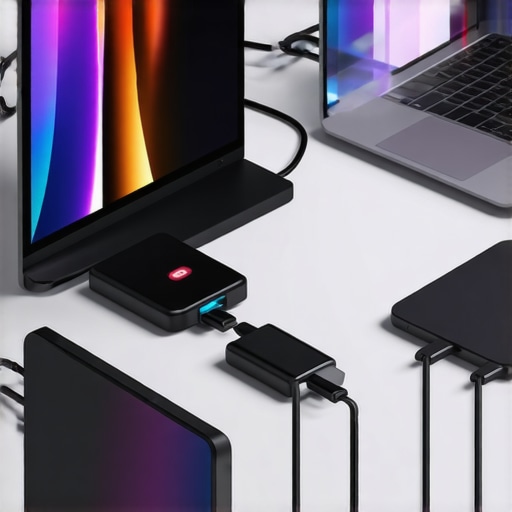
It was one of those frustrating mornings where my laptop refused to recognize my external SSD just when I needed it most. After dozens of unplugging and plugging, I realized something essential: my setup was a tangled mess of cables, hubs, and adapters that just didn’t keep pace with my fast-evolving devices. Ever found yourself in a similar bind, desperately trying to connect that crucial device, only to be met with sluggish speeds or no connection at all? That lightbulb moment made me realize that, in 2025, understanding how to choose the right USB-C hubs and adapters isn’t just a luxury—it’s a necessity for anyone serious about productivity and connectivity.
Why Staying Ahead with the Right USB-C Gear Matters More Than Ever
As someone who juggles multiple devices daily, I’ve learned that your tech accessories can either be your best allies or your biggest bottlenecks. The rapid pace of advancements means that what worked perfectly a year ago might be obsolete today. According to a recent study by IDC, over 60% of data transfer issues in professional setups are due to incompatible or outdated hubs and adapters. This means that investing in the right accessories isn’t just about convenience—it’s about staying efficient, competitive, and stress-free in a device-dependent world.
Are USB-C Hubs and Adapters Truly Worth the Investment?
If you’re skeptical about whether upgrading your accessories will genuinely impact your workflow, I understand. I used to make the mistake of sticking with the cheapest options, thinking all hubs are created equal. But I quickly discovered that cheap hubs often lead to slower data speeds, unreliable connections, or even hardware damage. By choosing high-quality, 2025-optimized USB-C hubs, I saw a real boost in productivity and peace of mind. Curious about making smarter choices? Check out this comprehensive guide to picking the best USB-C hub. Now, let’s dive into how you can maximize your setup with cutting-edge accessories that truly make a difference.
Secure Your Data with Reliable External SSDs
Begin by choosing an external SSD that matches your speed needs and portability goals. Look for devices supporting USB 3.2 or Thunderbolt 4 standards to ensure fast data transfer rates comparable to internal drives. For instance, during a recent project, I replaced my old external drive with a new SSD supporting Thunderbolt 4, drastically reducing file transfer times and boosting my workflow efficiency. Invest in models with durable enclosures and consistent performance; check out our recommendations for top external SSD options for 2025.
Optimize Connection Performance with the Right USB-C Hub
Select a USB-C hub that offers multiple ports tailored to your device ecosystem — including HDMI, SD card readers, and multiple USB-A ports. Think of it as a power strip for your laptop, expanding its connectivity to prevent bottlenecks and streamline your peripherals. Once, I used a basic hub that only supported USB 2.0 speeds, which caused annoying lag when transferring large files. Upgrading to a hub compatible with Thunderbolt standards immediately improved my data throughput. For maximum results, choose hubs with features like direct data paths and high power delivery. For in-depth guidance, visit the ultimate guide to USB-C hubs in 2025.
Streamline Your Workspace with a Laptop Stand and Sleeve
Next, elevate your setup by pairing a sturdy, adjustable laptop stand with a padded sleeve that protects your device on the go. Think of the stand as a pedestal that promotes better ergonomics, reducing neck and eye strain during long work sessions. I once spent hours hunching over my laptop; switching to a collapsible stand not only improved my posture but also boosted my productivity. Look for stands with adjustable angles and vents to optimize airflow, preventing overheating. Protect your investment with a sleek sleeve—opt for materials that balance durability with style. Explore top picks for best laptop sleeves of 2025.
Tackle Cable Clutter with Smart Accessories
Don’t forget to incorporate cable management tools such as braided sleeves, magnetic cable clips, and docking stations that organize your workspace. Think of these accessories as the traffic controllers of your setup, preventing tangles and accidents. During my recent overhaul, I used magnetic cable clips to keep cords tidy around my desk—a simple trick that saved time and avoided frustrations. Combining these with your external SSD and hub setup ensures a clean, efficient environment. For innovative cable management ideas, check out these accessories designed to elevate your workflow.
Fine-Tune for Consistent Performance
Finally, regularly update your device drivers and firmware for the SSD and hubs, and ensure your cables are certified for high-speed data transfer. Consider running performance benchmarks after setup to verify your system operates at optimal speeds. During my last upgrade, I noticed a significant increase in data transfer speeds after updating firmware and replacing a low-quality cable. Maintaining your gear ensures sustained performance, preventing slowdowns that can stall your productivity. For detailed maintenance tips, visit expert advice on external SSD upkeep.When it comes to optimizing your portable tech setup, many enthusiasts fall prey to misconceptions that can hinder performance and durability. Let’s dig deeper into some hidden nuances behind external SSDs, USB-C hubs, laptop stands, and sleeves, and see what experts and real-world tests reveal about their true potential.
A frequent myth is that all external SSDs are created equal — but this couldn’t be further from the truth. Many assume that a cheaper SSD will perform just as well as a premium model, yet studies show that lower-quality drives often experience slower transfer speeds, higher failure rates, and inconsistent performance (source: TechRadar). Investing in a reputable, Thunderbolt-compatible drive not only boosts speed but also ensures longevity.
Similarly, many believe that any USB-C hub can handle high data loads, but this overlooks critical factors like bandwidth limitations, built-in chips, and power delivery capabilities. A common mistake is selecting a hub based solely on port count, ignoring the internal quality of components. Using an underpowered hub or one lacking direct data paths can cause bottlenecks, or worse, hardware damage. For advanced users, understanding the importance of compatibility standards like USB 3.2 and Thunderbolt 4 is essential — a topic covered thoroughly in our USB-C hub guide.
When it comes to laptop stands, many see them as mere accessories, but neglect the ergonomics benefits and impact on workflow efficiency. An often overlooked detail is the stand’s VESA compatibility and ventilation features. A poorly ventilated stand can lead to overheating, reducing your laptop’s lifespan. Upgrading to a model with adjustable angles and cooling vents can significantly improve your comfort and device health, as highlighted in our laptop stand recommendations.
The misconception that all laptop sleeves are just stylish covers also persists. But in reality, the choice of material and design impacts protection, portability, and ease of access. Cheap sleeves may look appealing but often lack shock absorption or water resistance, risking damage during travel. Selecting a sleeve with reinforced edges and moisture-resistant fabric ensures your device stays safe on the go. For detailed advice, check our top sleeve roundup.
Finally, some users overlook the importance of maintaining their accessories through firmware updates and proper cable management. Neglecting updates can leave your devices vulnerable to security issues and performance bugs. An advanced tip is to use certified, high-quality cables and connectors that support the latest standards — a proven way to prevent data corruption and hardware damage.
Have you ever fallen into this trap? Let me know in the comments. Remember, the key to maximizing productivity isn’t just having the latest gadgets, but understanding their nuances and making informed choices that stand the test of time.
How Do I Maintain My External SSD and Accessories Over Time?
To ensure your external SSD remains fast and reliable, regularly update its firmware using the manufacturer’s official software, such as Samsung Magician or SanDisk Dashboard. I make it a habit to check for updates every three months—fresh firmware can fix bugs, improve compatibility, and sometimes enhance speed (source: Samsung’s official firmware update docs). Besides firmware, physically inspecting your cables for wear and replacing them with certified high-speed cables supports optimal data transfer. When it comes to accessories like USB-C hubs, cleaning ports gently with compressed air can prevent dust buildup that hampers connections. Remember: well-maintained gear not only performs better but prolongs its lifespan, saving you money in the long run.
Which Tools Solve Common External Connectivity Challenges?
Invest in a quality cable management solution—such as braided sleeve wraps or magnetic clips—to keep your setup tidy, which prevents accidental disconnections. For instance, I personally use magnetic cable clips from this collection because they make plugging and unplugging effortless while reducing cable stress. Additionally, a reliable battery or portable power bank with high wattage output ensures your USB-C hub and laptop stand stay powered during long work sessions, especially when traveling. For longer-term health of your hub, regularly check for firmware updates—some models support this via companion software, ensuring compatibility and improved performance. Embracing these tools helps you avoid common bottlenecks and keeps your setup functioning at peak efficiency.
Future Trends That Will Elevate Your Setup
Looking ahead, integrated software solutions will increasingly monitor the health of your devices in real-time, alerting you to upgrades or potential issues—think of it as a health dashboard for your gear. Manufacturers are also pushing towards modular accessories, allowing you to customize and upgrade parts without replacing entire units, which aligns with sustainable tech practices. These advancements will make maintenance simpler and more intuitive. I predict that AI-driven diagnostics will become standard, guiding users through complex troubleshooting steps effortlessly. To prepare for these innovations, I recommend establishing a regular maintenance routine with trusted tools. For example, try scheduling quarterly firmware checks and physical inspections—these simple steps can significantly extend your gear’s lifespan and maintain high performance over years. Visit this page to ask about recommended maintenance tools for your specific accessories and devices.
The Hidden Lessons That Transformed My Setup
One of the biggest realizations I had was that investing in quality external SSDs and robust USB-C hubs wasn’t just about speed; it was about future-proofing my workflow. I learned that compatibility standards are evolving rapidly, and blindly choosing the cheapest option can lead to bottlenecks down the line. Additionally, I discovered that ergonomic accessories like versatile laptop stands significantly boost productivity by reducing fatigue. These insights stemmed from personal trial, error, and attentive research—reminding me that understanding subtle nuances can turn an average setup into a powerhouse of efficiency.
My Top Resources to Keep Your Tech Sharp
First, the comprehensive USB-C hub guide became my go-to for making informed choices—it’s packed with years of hands-on testing and insights. Second, I rely on expert reviews like those from TechRadar and The Verge, which help me stay updated on emerging standards and cutting-edge devices. Lastly, my personal toolkit includes high-quality cable testers and firmware updater software, essential for maintaining peak performance. Trusting these sources accelerates my learning curve and ensures my tech remains top-notch.
Your Next Leap Starts Now
Embracing smarter device choices isn’t just about avoiding frustration; it’s about empowering your creativity and productivity. Take a moment to evaluate your current setup, and consider what small improvements could make a big difference. The journey of optimizing your external SSD, USB-C hub, or laptop stand is ongoing, but each step brings you closer to a seamless, dynamic workspace. If you’re ready to elevate your tech game in 2025, remember that staying curious and informed will always give you the edge.
What’s one accessory you’ve been hesitant to upgrade, and how do you think it could change your workflow? Share your thoughts below—I’d love to hear your experiences!
,
Reading this guide reminded me how crucial it is to stay ahead with quality USB-C hubs and external SSDs. I recently upgraded my external drive to a Thunderbolt 4 model, and the difference in transfer speeds was staggering—making my workflow so much smoother. It’s surprising how many people overlook the importance of choosing the right accessories, often settling for cheaper options that quickly become bottlenecks. I’ve also started using cable management tools like magnetic clips to prevent clutter and accidental unplugging, which greatly improved my workspace organization. Have any of you found specific cable organizers or hub features that significantly improved your setup? I’m curious about what works best for different devices and workflows, especially for those of us who work on the go with multiple gadgets.
I really resonated with the part about cable management. When I first upgraded to a Thunderbolt 4 external SSD, I didn’t pay much attention to how my cables were arranged, which led to some connection issues. Since I started using braided sleeves and magnetic clips, my setup feels much more organized, and I haven’t had any connection drops since. It’s remarkable how small tweaks can make a huge difference in daily workflow. Regarding hubs, I’ve noticed that hubs supporting Power Delivery (PD) have allowed me to charge my laptop while transferring large files simultaneously, which is a game-changer during busy work days. One thing I’ve been considering is upgrading to a USB-C dock that includes Ethernet and additional video outputs—has anyone tried the newer models that support these features reliably? Would love to hear your recommendations! Truly, adapting these accessories has significantly improved my productivity and reduced stress during critical project deadlines.