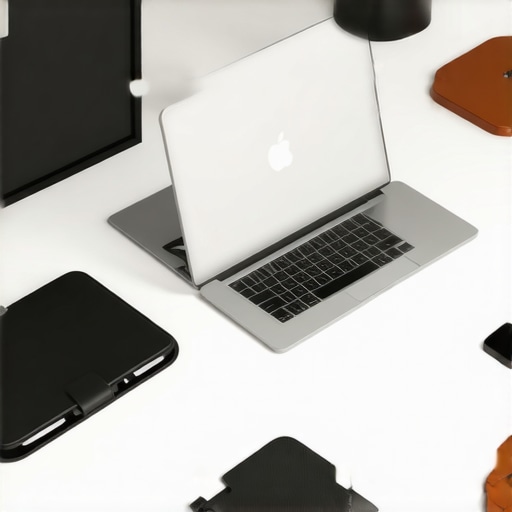
I remember the moment clearly: I was rushing through a coffee shop, laptop in one hand, trying to find that elusive perfect angle for my screen. Suddenly, my back ached, my neck strained, and I realized I was sacrificing comfort for mobility. It hit me—if I want to work efficiently on the go, I need smart solutions that enhance my setup, not hinder it.
Why Reassessing Your Laptop Accessories Can Change Your Day
In 2025, our laptops are more than just devices; they are our mobile offices, creative studios, and communication hubs. But the way we set them up matters immensely. A poorly arranged workspace can lead to discomfort, decreased productivity, and even long-term health issues.
Time and again, I’ve seen colleagues struggle with crummy laptop sleeves or flimsy stands that wobble every time you type. That’s why I committed to exploring smarter accessories—those that blend comfort, portability, and style seamlessly. And trust me, the right choices can truly transform your workflow.
Did you know that chronic neck pain affects an estimated 30% of remote workers, according to recent studies? That’s a huge portion of us! The good news is, investing in well-designed laptop stands and cases can make a real difference.
Early on, I made the mistake of neglecting ergonomics—using a cheap, flat lap desk that made working uncomfortable and strained my posture. It wasn’t just a minor inconvenience; it affected my focus and energy levels. Since then, I’ve learned how to pick accessories that promote better health and higher productivity.
So, if you’re tired of feeling hunched over or lugging around bulky gear, you’re in the right place. Today, I’ll guide you through choosing the best laptop stands, external SSDs, USB-C hubs, and protective sleeves to elevate your mobile setup to professional standards. Ready to upgrade your workspace and transform your work-from-anywhere routine? Let’s dive in.
Position Your Laptop for Comfort and Efficiency
Start by elevating your laptop using a sturdy, adjustable laptop stand that suits your workspace. Place it on a flat surface, ensuring your screen is at eye level to prevent neck strain. I once juggled a stack of books under my laptop—an awkward fix that caused wobbling and discomfort. Switching to a dedicated stand stabilized my setup and boosted my focus.
Adjust the Tilt for Ergonomic Comfort
Many stands allow tilt adjustments. Experiment to find the angle that keeps your wrists straight and shoulders relaxed. Remember, the goal is to replicate a comfortable desk environment, even on a park bench or in a café. I spent 15 minutes adjusting my stand, which felt frustrating initially, but the ergonomic payoff was immediate—less back pain and more productive hours.
Optimize Connectivity with the Right Hub
Next, enhance your laptop’s connectivity by choosing an appropriate USB-C hub. Consider your needs: Do you require HDMI for presentations or SD card slots for quick media transfers? I once used a generic hub that caused frequent disconnects—switching to a reliable, feature-rich hub eradicated those headaches and improved my workflow. For specific recommendations, check this top hubs list.
Expand Storage with External SSDs
Managing large files demands fast, portable storage. An external SSD is your best bet. Select a model with USB-C compatibility to ensure rapid data transfer. I upgraded from an HDD to an external SSD, which slashed my backup time from hours to minutes. When picking an SSD, prioritize durability and read/write speeds—these are critical for seamless work sessions. Find the best options in our detailed external SSD roundup.
Protect Your Gear with a Quality Sleeve
Protection is often overlooked until damage occurs. Invest in a laptop sleeve that offers padding and a snug fit. Choose a style that reflects your personality—professional or playful—but don’t compromise on padding or water resistance. I once tossed my laptop into a crowded subway bag with no sleeve—months later, I learned the importance of safeguarding my investment. For options blending style and safety, see this comprehensive guide.
Combine Accessories for Maximum Impact
While each accessory improves a facet of your workflow, their true power lies in integration. Position your laptop on a stand, connect an efficient hub, store files on a fast external SSD, and secure your device with a durable sleeve. During my first attempt, I purchased each item separately without considering compatibility; the setup was cumbersome and uncoordinated. When I finally aligned them, my workspace transformed into a portable office—more organized, ergonomic, and efficient. To discover setups that work harmoniously, check the setup guide.Many users assume that selecting a laptop stand, USB-C hub, external SSD, or sleeve is a straightforward task, but there are subtle nuances that often get overlooked. Contrary to popular belief, not all accessories are created equal, and some common myths can lead to costly mistakes. For example, many believe that a larger external SSD always equals better performance, but speed and durability depend on specific chipsets and build quality, not just capacity. Also, while sleek designs may appeal visually, they sometimes compromise functionality or durability—an important factor to consider, especially when often on the move.
Let’s examine one critical misconception: the idea that all USB-C hubs are universally compatible. In reality, compatibility isn’t just about ports; it’s about chipsets and power delivery standards. A cheap hub might cause connectivity issues or slow data transfer rates, which hampers productivity more than it helps. As outlined in expert analyses, investing in a high-quality hub tailored to your device’s specifications prevents these pitfalls.
In terms of ergonomics, many underestimate how improper positioning of a laptop stand can cause long-term neck or wrist strain. An affordable, non-adjustable stand may seem tempting, but it can lead to poor posture if not correctly aligned. Always opt for stands with adjustable tilt and height—doing so enhances comfort and minimizes musculoskeletal issues. For advanced setups, pairing a premium stand with an external monitor and ergonomic accessories significantly boosts productivity, as shown in recent ergonomic studies.
Now, here’s a question for those delving deeper—what unseen signals might indicate that your accessories are *not* optimally configured, and how can you detect and fix these issues before they cause discomfort or data loss? This goes beyond the basics, involving understanding device specifications, thermal management, and power distribution—topics covered extensively in our comprehensive guides.
Take a moment to reflect: have you ever fallen into this trap of oversimplified choices or overlooked compatibility issues? Let me know in the comments. Remember, making informed decisions about your laptop accessories not only enhances your workflow but also preserves your health and investments.
To ensure your mobile workstation continues to serve you well, investing in durable and easily maintainable accessories is crucial. A high-quality laptop stand with adjustable tilt not only elevates your screen but also simplifies cleaning and adjustments over time, extending its lifespan. Regularly wiping down your laptop sleeve and external SSDs with a microfiber cloth prevents dust build-up that could impair connectivity or damage internal components. When choosing USB-C hubs, opt models with robust build quality and compatibility that allows easy firmware updates, keeping your connections reliable.
Tools like software management also play a vital role in long-term maintenance. Using disk utility tools, such as external SSD optimization tips, can help keep your drives running at peak speed. Regular backups using reliable software prevent data loss and keep your workflow flowing without interruption. Stay vigilant by checking for firmware updates from manufacturers, ensuring your accessories adapt to evolving standards and maintain performance.
Looking ahead, I predict that modular accessories with swappable components—like exchangeable lenses for external SSDs or adjustable stands—will become commonplace, offering personalized, scalable setups that evolve with your needs. This trend aligns with the push toward sustainability and customization in tech gear, allowing you to replace or upgrade parts without replacing the entire accessory.
How can I maintain my setup over time without losing functionality?
Consistent inspection and cleaning are your best allies. Schedule a monthly check-up where you inspect your laptop sleeve, stand, and external SSD for signs of wear or dust accumulation. For example, some manufacturers like Samsung recommend firmware checks via their official support pages, which can prevent unexpected malfunctions. Incorporating tools such as airflow monitors—like those used in professional data centers—might seem overkill but can help identify overheating issues before they cause damage. Using these tools regularly ensures your accessories’ longevity and stable performance, helping you avoid costly replacements and downtime. Try adopting a bi-monthly routine where you clean, verify compatibility, and update firmware — you’ll notice fewer hiccups and a smoother workflow.Reflecting on my journey, I realize that the smallest adjustments to my mobile workspace yielded the greatest improvements—not just in comfort, but in confidence to tackle any task. The key insight I’ve gathered is that investing consciously in tailored accessories transforms how we work, think, and create on the go. So, I challenge you: don’t settle for off-the-shelf solutions; seek out gear that truly complements your unique working style and environment. Keep experimenting, stay curious, and remember—your perfect setup is just a thoughtful upgrade away. For inspired ideas, check out our comprehensive guide to optimizing your mobile workstation. Remember, it’s not just about tools, but about creating an environment where you can thrive—anywhere, anytime.
Reading this post really resonated with me, especially the part about not neglecting ergonomics when working on the go. I’ve had my fair share of back and neck discomfort from long hours with subpar setups. I recently invested in a versatile adjustable laptop stand and a ergonomic USB-C hub, which made a noticeable difference in my posture and productivity.
One thing I’ve learned through my experience is how crucial it is to regularly evaluate and upgrade your accessories as technology evolves. Do others find that their setup changes over time as new, more efficient gear becomes available? Also, I’m curious about recommendations for portable external SSDs that balance speed, durability, and price—any favorites among the community?
Ultimately, I believe that thoughtful investments in our tools can prevent health issues and make remote work a lot more enjoyable.
This post really hits home for me, especially the emphasis on pairing ergonomic accessories with portability. I used to just toss my laptop in a bag, thinking it was fine, but after experiencing some minor neck discomfort, I realized the importance of investing in a good sleeve and a sturdy, adjustable stand. It’s amazing how small tweaks can make such a difference in daily comfort. I’ve also found that using a slim external SSD has significantly improved my workflow—no more waiting hours for backups! For anyone considering a portable drive, I recommend models with both high read/write speeds and water-resistant casing for durability. Has anyone had experience with the newer models that combine speed and ruggedness? Also, I wonder how many of us are experimenting with modular accessories, like interchangeable components that grow with our needs. It seems like a trend that could really change how we upgrade and maintain our mobile setups. I’d love to hear others’ experiences or suggestions on combining these accessories effectively.