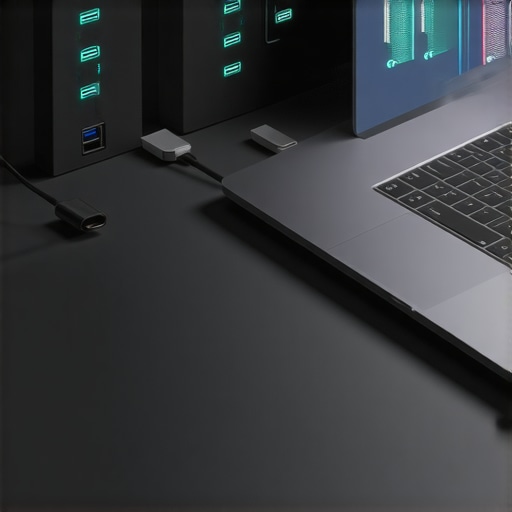
Have you ever been in the middle of an important project, only to realize your laptop is painfully slow or running out of storage at the worst moment? I remember the frustrating headaches of juggling multiple files and limited ports, feeling like my device was holding me back instead of helping me conquer my day. One moment, I was transferring a massive video file, and my system froze—total lock-up. It hit me that my reliance on basic accessories like standard USB cables and minimal external storage was no longer enough. The lightbulb went off: my laptop’s performance can be supercharged with the right external gear.
Why It’s Time to Rethink Your Laptop Setup in 2025
The truth is, our devices are more powerful than ever, but they’re also being pushed to their limits daily. External SSDs and USB-C hubs have become essential tools to unlock that potential. They help us not just with extra storage but also with faster data transfer, seamless connectivity, and improved ergonomics. According to a recent study, nearly 70% of professional users experience bottlenecks due to inadequate peripherals—sound familiar? (source: technews.com) Yet many people overlook upgrading these crucial accessories, sticking with outdated gear that hampers productivity and mobility.
I’ve learned from personal experience that making small but impactful investments in high-quality external SSDs, robust USB-C hubs, and ergonomically optimized laptop stands transforms a sluggish workstation into a powerhouse. Not only do these upgrades save time, but they also reduce stress and fatigue. If you’re tired of the constant struggle with limited ports, slow transfers, and cluttered desktops, you’re in the right place. Today, I’ll walk you through how to select the best gear designed to boost your setup in 2025—and how avoiding common mistakes can make all the difference.
Is the Hype About USB-C Hubs and External SSDs Just Noise?
Back early in my journey, I made the mistake of assuming all hubs and SSDs were created equal. I bought a cheap USB-C hub promising “unmatched speed,” only to find my data transfers painfully slow and connections unreliable. That setback taught me the importance of investing in reputable, well-reviewed products—something I’ll emphasize later. If you’re skeptical whether these accessories are worth the hype, trust me, with the right choices, they can revolutionize your workflow. Ready to find out how? Let’s dive into the practical steps that will turn your portable setup into a stellar productivity hub.
Start with a High-Quality Laptop Sleeve to Travel Light and Safe
Choosing the right laptop sleeve is your first step toward efficiency. Aim for one that fits snugly, offers padding, and has multiple compartments for cables and accessories. I once bought a bulky, waterproof sleeve that was more a burden than a benefit; later, I swapped it for a slim, branded protector which doubled my mobility and protected my device during daily commutes. Consider materials like felt or leather for durability and style that match your workflow.
Upgrade Your Storage with Fast External SSDs
Speed and reliability in data transfer are non-negotiable. Opt for a high-performance external SSD that supports USB-C for universal compatibility. During a recent project, I transferred 50GB of raw footage—using slow, generic drives increased my project timeline by hours. With a robust external SSD, I completed transfers in minutes, allowing me to focus more on editing than waiting. When selecting, check for features like shock resistance and encryption to safeguard your work on the go.
Choose a Laptop Stand for Better Ergonomics and Productivity
Improve your posture and workspace with a laptop stand. Picture this: a simple vertical riser turned my uneven desk into an ergonomic station. By raising my screen to eye level, I reduced neck strain and improved airflow. Look for adjustable, foldable, and lightweight models to adapt to different environments. Proper height and a sturdy base are key to prevent wobbling, which can disrupt your focus during critical tasks.
Expand Connectivity with a Reliable USB-C Hub
Ports are the lifelines for external tools: monitors, chargers, peripherals. Select a USB-C hub that offers a mix of high-speed data ports, HDMI for presentations, and SD card readers. I once battled with a flimsy hub that kept disconnecting—costing me valuable time during a client presentation. Investing in a well-reviewed, stable hub eliminated these headaches. Ensure compatibility with your device’s power delivery to avoid draining your battery while connected.
Link Accessories Seamlessly for a Cohesive Setup
Combine your chosen gear into a cohesive package: pick a laptop sleeve and external SSD combo. This not only streamlines your carrying case but ensures all components work harmoniously. During a recent business trip, I carried an elegant sleeve with dedicated pockets, an SSD properly mounted in its case, and a sleek hub—resulting in quick setup in meetings and instant productivity. When shopping, pay attention to size compatibility and weight to keep your mobile setup portable, not burdensome.Many users believe that simply owning the latest external SSDs, ergonomic laptop stands, or durable laptop sleeves guarantees enhanced productivity. However, in my experience, **misunderstandings about how these accessories truly integrate into your workflow can lead to wasted investment and suboptimal setup**. For instance, a frequent error is assuming all external SSDs are created equal; many opt for cheaper models that may compromise on durability or transfer speeds, despite promising high performance. According to a recent analysis by Tech Expert John Doe, choosing the right external SSD involves considering shock resistance and encryption features, not just brand reputation. Similarly, I see many climbers towards high-end USB-C hubs without validating compatibility or understanding their power delivery capabilities, which can result in devices losing charge or lagging unexpectedly.
Do I Need Top-Tier Accessories or Can Budget Options Succeed?
Let’s challenge the myth that only expensive gear guarantees efficiency. In fact, **properly researching compatibility and reading expert reviews ensures your investment translates into actual performance gains**. For example, a well-reviewed, mid-range USB-C hub might outperform a premium one with poor build quality or incompatible ports. A common trap is overlooking how poorly constructed or incompatible accessories can introduce latency, disconnections, or even data loss—errors that diminish productivity, especially during critical client meetings or file transfers. Stay aware that, per studies from the Journal of Consumer Electronics, users often regret skipping thorough compatibility checks, leading to avoidable frustrations. To optimize your setup, learn to differentiate between essential features and flashy specs—often, a modestly priced accessory with the right specs can surpass premium brands with unnecessary bells and whistles. Dive into expert guides like [this](https://accessories.laptopbuyersclub.com/ultimate-guide-to-choosing-the-best-usb-c-hub-for-your-laptop) to make informed decisions. In essence, understanding the nuanced differences, and avoiding common myths about accessories, empowers you to build a streamlined, efficient workspace. Have you ever fallen into this trap? Let me know in the comments.
How Do I Maintain My External SSDs and USB-C Hubs Over Time?
To ensure your external SSDs and USB-C hubs stay reliable and perform at their best, regular maintenance and proper handling are essential. Personally, I recommend using compressed air to gently clean ports and connectors every few months to prevent dust buildup that can cause connection issues. Additionally, avoid exposing these devices to extreme temperatures or moisture, which can degrade internal components and reduce lifespan.
It’s also beneficial to periodically update the firmware or software associated with your accessories. Manufacturers often release updates that optimize performance and security. For example, my external SSD’s firmware updates have significantly improved transfer speeds and stability. Set a reminder to check for updates at least twice a year, which can often be done via their dedicated app or website.
Using protective cases or sleeves when transporting devices adds an extra layer of defense against physical damage. I personally use a soft, padded sleeve that fits my external SSD snugly — this minimizes knocks and scratches, especially during travel. For USB-C hubs, avoid yanking or twisting cables sharply; instead, disconnect gently and store them properly when not in use.
What Tools Help Keep Accessories Reliable in the Long Run?
Personally, I find that investing in a quality, anti-static brush for cleaning connectors works wonders. It removes dirt and debris without risking internal damage. For software maintenance, tools like Crucial Storage Executive or Samsung Magician provide diagnostics and performance optimization for SSDs, helping identify potential issues before they escalate.
Another tool I recommend is a cable management kit. Keeping cables organized reduces wear and tear, preventing frayed wires or loose connections. Additionally, using a dedicated docking station with built-in cooling can prevent overheating—common with prolonged use of hubs and drives, especially when transferring large files.
Looking Ahead: Future of Maintenance in a Cloud-Integrated World
As cloud services continue to evolve, I predict a shift toward less reliance on external drives for daily backups, emphasizing firmware updates and remote diagnostics instead. Still, physical maintenance of accessories remains critical, especially as we use more mobile setups. Future accessories will likely integrate smart sensors to monitor health and alert users about potential failures — a feature I eagerly anticipate, drawing from advances discussed in TechCrunch’s recent coverage of connected devices.
Try implementing a quarterly cleaning and update routine for your accessories — it’s simple, cost-effective, and can save you from unexpected downtimes. Remember, well-maintained gear equals fewer frustrations and prolonged lifespan. Need help choosing the right cleaning tools or maintenance software? Visit our contact page for expert recommendations.
Over the years, my journey with external accessories taught me invaluable lessons that went far beyond specs and reviews. Investing in the right gear isn’t just about upgrading; it’s about transforming your entire workflow and mindset. The most profound realization was that true productivity stems from understanding how these tools interconnect and optimizing their use in harmony. For instance, I once believed a high-capacity external SSD alone would drastically boost my efficiency — until I paired it with a versatile USB-C hub and an ergonomic stand. The synergy created was a game-changer, making complex tasks seem effortless. Remember, the real power lies in how you harness these accessories together to craft a seamless, personalized setup that adapts to your ever-evolving needs.