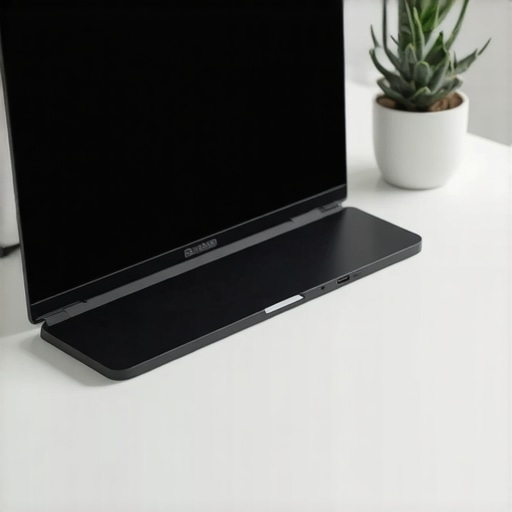
I vividly remember the moment when my laptop slipped off my cluttered desk, sending a cascade of cables, external SSDs, and half-unplugged accessories crashing onto the floor. It was a frustrating wake-up call that made me realize how my setup was holding me back—inefficient, cluttered, and constantly distracting me. That was the day I decided enough was enough.
Choose the Right External SSD for Speed and Reliability
First, identify your storage needs and select an external SSD that offers speed and durability. Look for options with USB 3.2 or Thunderbolt interfaces to ensure fast data transfer, much like upgrading from a bike to a sports car for quicker rides. I recently upgraded my external SSD using these tips and noticed an immediate boost in workflow efficiency, especially when handling large files.
Design Your Desk with a Sturdy Laptop Stand
Next, elevate your laptop with a reliable stand that promotes good posture and boosts productivity. Think of a good stand as the foundation of a house—if it’s unstable, everything above is compromised. I recommend choosing one that is adjustable and sturdy, like those described here. When I first tried a flimsy stand, it wobbled constantly, forcing me to constantly readjust, but switching to a solid, ergonomically designed model changed my entire working experience.
Optimize Your Accessories for Seamless Connectivity
Having the right accessories makes all the difference. A high-quality USB-C hub transforms a single port into a versatile interface, letting you connect multiple devices effortlessly. Think of it as a Swiss Army knife—compact but with multiple tools. I once had to unplug and replug devices repeatedly until I invested in a hub that supports all my peripherals, which streamlined my workflow and eliminated frustration.
Protect Your Gear with a Stylish Laptop Sleeve
Finally, safeguard your expensive setup with a sleek, durable laptop sleeve. It’s like a cozy jacket for your laptop—protecting against scratches and minor bumps. I personally use a padded sleeve which fits perfectly into my backpack, preventing accidental knocks and making transitions between locations seamless. Remember, investing in quality accessories pays off by prolonging your device’s lifespan and keeping your gear looking professional.
Integrate with Proper Cable Management
Even with all these accessories, cables can turn your workspace into a tangled mess. Use cable clips and sleeves to organize wires; think of it as giving your workspace a mini-makeover to prevent tripping over cables or pulling devices accidentally. When I tidied up my cables, I not only felt more organized but also noticed my productivity improved because I wasn’t constantly untangling knots.
Test and Iterate Your Setup
Once everything is in place, spend some time using your new setup and refine. Adjust the height of your stand, swap out accessories for better options, or reorganize cables as you discover what works best for your workflow. Remember, the goal is a workspace that adapts to you, not the other way around. Personal experiences, like mine, show that small tweaks can lead to significant improvements in comfort and efficiency.
Many professionals and enthusiasts alike often fall prey to oversimplified beliefs about external SSDs, laptop stands, USB-C hubs, and sleeves. Let’s analyze some widespread myths and reveal the nuances that can make or break your mobile setup.
Why Faster Isn’t Always Better for External SSDs
It’s a common assumption that higher write and read speeds automatically translate to better performance. While speed matters, many users overlook the importance of compatibility and actual real-world benefits. For example, an external SSD boasting 10,000 MB/s transfer rates might be bottlenecked by your computer’s Thunderbolt port or file system limitations, rendering the hype moot. Instead, focus on balanced specs and durable build quality. For practical tips, see how to boost your SSD’s efficiency without falling into speed traps.
Over-Purchasing and Misusing Laptop Stands
Many buy elaborate stands believing they will instantly enhance productivity. But the real nuance lies in ergonomics tailored to your workflow. For instance, adjustable stands can be more beneficial than fixed ones, especially if you switch between sitting and standing desks. A stand that’s too high or low can cause neck strain, negating its benefits. Remember, the perfect stand should support your specific posture needs; learn more about how to maximize productivity with an ideal setup.
Choosing Accessories That Don’t Play Well Together
One common mistake is acquiring a USB-C hub that lacks compatibility with existing peripherals or doesn’t support the required power output. An often overlooked fact is not all hubs are created equal; some don’t support standard features like data pass-through or charging simultaneously. This oversight can lead to frustration or even damage your gear. Experts recommend selecting a hub aligned with your device’s specifications and future expansion plans. For more insights, see guidelines for choosing the perfect USB-C hub.
Why Your Laptop Sleeve Actually Matters More Than You Think
Many assume that a sleeve is just a protective cover, but the choice of material, padding, and fit can significantly affect your device’s longevity. A common trap is opting for slim, stylish sleeves that lack sufficient padding, leaving laptops vulnerable to impacts. Alternatively, overly bulky sleeves can hinder portability. The key is selecting a sleeve that offers balanced protection and convenience—think of it as a personal safety net. For top-quality options, explore premium laptop sleeves that marry style and protection.
Are External SSDs and Accessories Worth the Investment?
Beyond myths, the true question is whether these tools align with your workflow. An external SSD is invaluable for professional workflows dealing with large files, yet unnecessary if your internal storage suffices. Similarly, a high-end USB-C hub offers convenience but only if it connects seamlessly with your setup. The secret is to identify your specific needs beforehand, avoiding impulsive purchases driven by marketing hype. Think critically and tailor your accessories to your unique work habits.
In conclusion, recognizing the subtle nuances and avoiding common traps can elevate your entire workflow. Remember, each component should complement your habits, preferences, and technical environment. Do you agree with these insights? Have you ever fallen into this trap? Let me know in the comments.
Maintaining an efficient workspace with external SSDs, laptop stands, and accessories requires more than just initial setup. Regular upkeep ensures longevity and optimal performance, especially as your needs evolve. One essential tip is to routinely update firmware and software for your peripherals; for example, keeping your USB-C hub drivers current enhances stability and compatibility. I personally schedule quarterly check-ins to clean device ports, update firmware, and review cable management, which prevents unexpected failures. Additionally, investing in modular components like adjustable laptop stands and durable sleeves allows easy scaling; as your workflow changes, these adaptable tools simplify upgrades without overhauling your entire setup.
How do I maintain my setup over time?
Consistent maintenance starts with periodic inspections of cables, connectors, and device firmware. Using software utilities, such as manufacturer-recommended drivers or dedicated diagnostic tools, helps catch issues early. For example, regularly testing your external drives with utility software can predict impending failures, preventing data loss. Keeping your workspace clean—free of dust and clutter—also prolongs device lifespan and maintains optimal airflow, which is critical for long-term performance. Additionally, referring to specialized guidance, like this detailed external SSD maintenance guide, can provide advanced tips to maximize performance and lifespan. Incorporating these practices ensures your tools remain reliable, whether you’re scaling your setup or troubleshooting unexpected issues. Don’t overlook the value of scheduled checks; they can save you a lot of headaches down the line. Finally, consider using monitoring software that tracks the health of your SSDs and other hardware, enabling preemptive actions before failures occur. As tech continues to evolve rapidly, staying proactive with your maintenance routine guarantees long-term efficiency and peace of mind.
The Hardest Lesson I Learned About External Accessories
One of my biggest revelations was realizing that quality isn’t just about specs but how well tools integrate into my workflow. For instance, a flashy external SSD with 10,000 MB/s transfer speed seemed perfect, but I discovered that if my port or file system can’t keep up, all that speed becomes meaningless. It taught me to prioritize compatibility and real-world performance over hype. Similarly, I used to think a stylish laptop sleeve was just about looks, but investing in padded, durable options extended my device’s lifespan significantly.
My Go-To Resources for Smarter Setup
Over time, I’ve found these tools invaluable: This guide for selecting the right laptop stand helps me find ergonomic options that truly improve comfort. For managing cables, these cable organization tools have saved me hours of untangling. And, for maximizing connectivity, I trust this USB-C hub guide, which has prevented many compatibility headaches.
Take Action to Elevate Your Setup Today
Your workspace is an extension of your productivity. Small adjustments—like refining cable management or upgrading a worn-out sleeve—can make a huge difference. Remember, the goal isn’t just to have shiny gadgets but to craft a space that empowers you. Dive into the world of innovative accessories to discover tools that fit your style. Now, it’s your turn—what’s the one tweak you’re planning to implement first? Share your plans below, and together, let’s build workspaces that work for us.