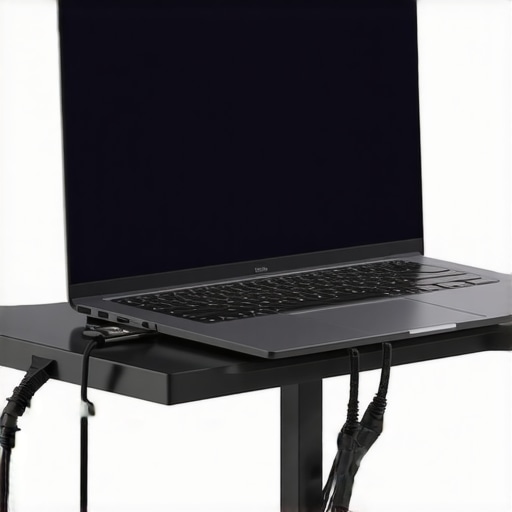
I remember the exact moment I realized my workspace was holding me back. It was a frantic Tuesday afternoon, and I had just spilled coffee all over my beloved new external SSD — a device I was counting on to keep my files safe and swiftly accessible. The dilemma? My laptop was perched awkwardly on the edge of my cluttered desk, wobbling with every keystroke, while a flimsy sleeve served as makeshift elevation. That day, I felt the weight of inefficiency pressing down, literally and figuratively. It was a wake-up call.
Fast forward to today, and I’ve learned that little upgrades can make a colossal difference. Whether it’s a well-designed laptop sleeve that protects and elevates your device, or an external SSD that boosts your storage speed, these accessories aren’t just luxuries—they’re essentials for working smarter in 2025. The right tools can turn a chaotic workstation into a streamlined command center, boosting both productivity and comfort.
So, what’s the secret? It’s all about the right setup, tailored to your workflow. And I’m here to walk you through the critical pieces that can transform your daily grind—starting with how proper laptop stands and quality accessories impact your productivity. But before we dive into solutions, let me ask: have you ever felt your workspace was holding you hostage? Keep reading; I’ve been there, and I’ve got actionable tips to fix that.
Why Your Workspace Might Be Sabotaging Your Efficiency
Optimize Your Desk Setup for Maximum Efficiency
Start by assessing your current workspace: identify clutter, awkward angles, and devices that hinder your workflow. Replace unstable surfaces with a sturdy laptop stand that elevates your screen to eye level, reducing neck strain and improving posture. I once used a makeshift stack of books until I ordered a sleek, adjustable stand that completely changed my daily comfort and productivity.
Choose the Perfect Sleeve for Protection and Style
Invest in a high-quality laptop sleeve that fits your device snugly, offering protection without bulk. Select one with pocket compartments to organize cables and accessories. I remember fumbling with loose cables until I swapped to a sleeve with dedicated compartments, saving me time and frustration during my busiest days.
Expand Your Connectivity with a Robust USB-C Hub
A USB-C hub is critical for seamless device integration. Look for one with multiple ports—USB-A, HDMI, SD card reader—to connect all peripherals effortlessly. I once faced constant port shortages, which a versatile hub resolved instantly, streamlining my workflow.
Boost Storage Speed and Accessibility
An external SSD accelerates file transfers and backups. Pair it with a matching sleeve or stand for mobility and protection. I once lost hours due to slow HDDs, but switching to an external SSD transformed my efficiency, especially during critical deadlines.
Combine Accessories for a Cohesive Experience
Look for complementary items like ergonomic laptop stands and stylish sleeves to create a portable, ergonomic setup. When I combined a height-adjustable stand with a protective sleeve and a multi-port hub, my workspace became a hub of productivity and comfort, even on tight schedules.
Many enthusiasts and even seasoned professionals believe that investing in popular laptop accessories like stands, sleeves, or external SSDs guarantees an optimal setup. However, beneath the surface lies a series of nuanced misconceptions that can hamper your workflow more than aid it. Let’s dig deeper into what most people get wrong, and how to avoid these common traps.
Is Simply Owning the Latest Tech Enough to Boost Productivity?
Contrary to popular belief, purchasing the newest or most feature-rich accessories often doesn’t translate directly into better performance. For example, a high-end USB-C hub without considering your specific port needs or workflow nuances can become an underutilized expense. Many users fall into the trap of getting accessories that look appealing on paper but don’t integrate well into their daily routines.
Moreover, the myth that more ports always mean better productivity can be misleading. Instead, prioritize what connections genuinely improve your setup, avoiding clutter and unnecessary complexity.
Beware of the Overemphasis on Aesthetics Over Ergonomics
Dreaming of a sleek, minimalist workspace is appealing, but sacrificing ergonomic principles for style can lead to health issues down the line. For instance, a beautiful laptop sleeve that doesn’t allow quick access or proper ventilation can hinder your workflow. Ensure that accessories serve functional purposes and promote good posture. Remember, comfort and health should never be secondary to aesthetics.
Research by the Harvard University School of Public Health emphasizes that ergonomic setups reduce fatigue and prevent chronic discomfort. Investing in adjustable laptop stands or footrests can significantly improve long-term productivity and well-being.
What About the Hidden Costs of Cheap or Generic Accessories?
Many fall for inexpensive, generic accessories that promise great value but often lack durability or compatibility. A cheap laptop stand or external SSD may seem like a bargain, yet it might fail prematurely or cause data transfer issues. Do not confuse cost savings with actual value. Investing in reputable, well-reviewed products can save you money and frustration in the long run. External experts suggest that high-quality accessories can extend device longevity and ensure seamless integration.
Before making a purchase, read reviews and verify compatibility to avoid ending up with obsolete or incompatible gear. The goal is a cohesive setup where each component enhances overall efficiency, not just a collection of fashionable gadgets.
Are You Falling into the Maintaining your laptop workspace and accessories is crucial for sustained productivity and hardware longevity. Personally, I rely on a few proven tools and techniques to keep my gear running smoothly. First, a high-quality cleaning kit, including compressed air and microfiber cloths, helps prevent dust buildup that can cause overheating or hardware issues. Regularly inspecting and tightening screws on your laptop stand ensures stability and durability over time.
Investing in a reliable backup system is equally vital. I use external SSDs that support incremental backups with software like ChronoSync or EaseUS Todo Backup. This not only speeds up data transfer but also reduces the risk of data loss—from hardware failure or accidental deletion.
For connectivity, choosing a USB-C hub with durable ports and an ergonomic design can prevent wear and tear on your ports. I always opt for hubs with braided cables and locking mechanisms to prevent disconnections during busy work sessions.
Tools like cable organizers and a small repair kit can handle minor fixes before small issues escalate. Additionally, software updates for your operating system and firmware are non-negotiable—they patch vulnerabilities and improve stability. I set up monthly reminders using Todoist or calendar alerts to ensure nothing is overlooked.
In the future, I predict that integrated maintenance alerts—powered by smart sensors in accessories—will become standard, alerting users to dust buildup or hardware issues before they cause problems. For now, proactive habits like cleaning, backing up, and inspecting physical components are your best defense.
**How do I maintain my setup over time?** Start with strict cleaning routines, regular backups, and hardware checks. Use durable accessories like laptop stands and external SSDs designed for longevity. Don’t forget to update your software and firmware regularly to patch vulnerabilities and optimize performance.
One tip I highly recommend is integrating a software routine that logs hardware and software health—tools like HWMonitor or CrystalDiskInfo can provide real-time insights into your device’s status. Taking these steps ensures your setup remains reliable and efficient for the long haul. For more detailed tips on accessories and maintenance, check out our comprehensive guides and reviews. Try implementing a monthly hardware check, and you’ll notice your device’s performance and lifespan improve significantly.**
The Hardest Lesson I Learned About Laptop Gear Optimization
One of the most eye-opening lessons was realizing that expensive accessories don’t automatically lead to better productivity. For example, I invested in a top-tier laptop stand with all the bells and whistles, yet I neglected how it fit into my workflow. The key takeaway? Compatibility and practical use matter ten times more than flashy features.
How Aesthetic Choices Can Sabotage Long-Term Comfort
Early in my journey, I prioritized sleek, minimalist laptop sleeves that looked stunning but offered little ventilation or accessibility. This led to frustration and inefficiency over time. I learned that prioritizing ergonomics and ease of access not only boosts comfort but also keeps your workflow seamless. Remember, style shouldn’t come at the expense of health.
The Value of Quality and Compatibility in Accessories
Opting for cheap, generic external SSDs or hubs might save money upfront, but the lack of durability and compatibility can cost you dearly. I found myself replacing unstable gear more often than I’d like, which disrupted my productivity. Investing in well-reviewed, compatible accessories creates a reliable foundation for your work.
How Small Maintenance Habits Can Save Your Workflow
Every month, I perform a mini-maintenance ritual: cleaning dust, inspecting connections, updating firmware. These tiny habits before major issues arise have extended my gear’s lifespan and ensured smooth operation. A quick tip—use software tools like external SSD tips to monitor health and performance, catching problems early.
Personal Reflection: The Power of Thoughtful Setup
Looking back, the biggest lesson was understanding that the best accessories are those tailored precisely to my needs and workflow. It’s tempting to follow trends or buy the latest gadgets, but the real upgrade happens when each piece is purposefully chosen. Remember, your workspace is a reflection of your goals—shaping it intentionally is key to sustained success.