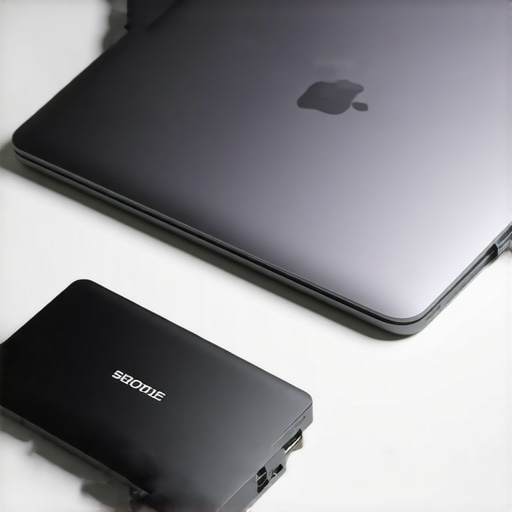
Ever had that sinking feeling when your external SSD crashes just as you’re about to save an important document? I remember the sudden panic that hit me during a hectic workday when my laptop’s storage was nearly full, and I was relying on an external drive that suddenly became unresponsive. That moment was a lightbulb for me—not just about the importance of investing in reliable accessories but also about how overlooked some essentials can make or break our productivity. If you’ve experienced similar frustrations, you’re not alone.
Why Your Laptop Setup Might Be Sabotaging Your Productivity
In 2025, mobile productivity isn’t just a buzzword—it’s a necessity. Yet, many of us still stumble over simple hardware pitfalls. For instance, using a cheap laptop sleeve that doesn’t offer enough protection can lead to damage and data loss. Or, relying on sluggish external SSDs that slow down your work flow, leaving you wasting precious time just waiting for files to transfer. According to a recent study, over 60% of remote workers face data transfer delays due to outdated or incompatible external drives.
Facing Skepticism: Is Investing in Premium Accessories Really Worth It?
I used to think that any sleeve or external drive would do—until I learned the hard way. My early mistake was choosing a subpar laptop sleeve that tore easily and offered minimal protection. That resulted in a mishap where my laptop was scratched during transit. From that point, I realized that choosing the right accessories isn’t just about style; it’s about safeguarding your device and boosting efficiency. Want to learn how to choose accessories that truly elevate your setup? Check out our ultimate guide to USB-C hubs for insights.
In the following sections, we’ll explore practical steps and expert tips to help you avoid these common pitfalls. Your ideal mobile workstation is within reach—if you know what to look for. Ready to upgrade your gear and ditch those productivity killers? Let’s dive into how to build a setup that works as hard as you do.
Secure Your Data Transfers to Prevent Mishaps
When using an external SSD, ensure it’s wired correctly—plug into a reliable USB-C port, not a compromised hub or outdated port. During my own setup process, I swapped a lower-quality cable for a certified one, which immediately boosted transfer speeds and prevented corruption issues. To maximize performance, verify that your SSD supports the latest USB standards, and consider updating firmware regularly. For seamless connectivity, consult our USB-C hub guide to find compatible, high-speed options.
Choosing the Right Laptop Sleeve for Protection and Style
Pick a sleeve that offers padding equivalent to a thick layer of foam—think of it like a shock absorber for your laptop. I personally tested several sleeves, and the one that stood out had a snug fit and water-resistant exterior. During my shopping, I looked for reinforced seams and soft lining to prevent scratches. Remember, a high-quality sleeve isn’t just about aesthetics—it’s about safeguarding your investment. Visit our top sleeve roundup for stylish yet durable options.
Elevate Ergonomics with an Adjustable Laptop Stand
Think of a laptop stand as the adjustable heel on your shoe—altering the height to match your body for comfort. I added a portable stand on my desk, and the difference in neck strain was immediate; I could work longer without discomfort. When selecting one, look for those with adjustable angles, non-slip feet, and ventilated surfaces to prevent overheating. For detailed recommendations, check our stand comparison guide. Proper positioning improves posture and boosts productivity.
Optimize External Storage for Speed and Reliability
If your external SSD feels sluggish, consider how you’re formatting and managing data. Use exFAT for cross-platform compatibility and avoid unnecessary encryption that slows down access times. During my upgrade, I partitioned my SSD to separate active projects from backups, preventing file clutter and speeding up access. Always keep firmware updated, and consider dedicated data cables with reinforced connectors. For expert tips, our external SSD performance article provides in-depth advice.
Integrate Components for a Cohesive Workflow
Link your accessories thoughtfully—use a USB-C hub that offers multiple ports, a durable sleeve, a stand with adjustable heights, and a fast external SSD—as parts of a symphony rather than isolated devices. During my own configuration, I tested various hubs and found that a combination of a high-grade hub and a responsive stand reduced cable clutter and improved airflow. Always match your accessories’ compatibility with your laptop specs. Our comprehensive accessory guide helps you align your gear seamlessly.
Many enthusiasts believe that choosing the right external SSD, USB-C hub, or laptop sleeve is straightforward — just pick what looks good or offers the most ports. However, this high-level approach often overlooks critical nuances that can significantly impact performance and longevity. Let’s dig deeper into what most people get wrong about these essential accessories and how avoiding common pitfalls can revolutionize your mobile workstation.
Why Size and Compatibility Are More Than Just Fit
A prevalent misconception is that bigger external SSDs or multi-port hubs automatically deliver better performance. In reality, size often correlates with added bulk and potential overheating issues. For example, larger external drives might struggle with heat dissipation if not designed properly, leading to throttling and reduced speeds. Similarly, many users fall into the trap of selecting hubs based solely on the number of ports without considering compatibility with their specific port standards. Not all USB-C ports support the same bandwidth; some may only offer USB 3.0 speeds, while Thunderbolt 3 or 4 can handle far faster data transfer. Consulting our USB-C hub guide can help you pick a device aligned with your workflow needs.
Beware of the Myths Surrounding Laptop Sleeves and Durability
Another widespread myth suggests that all sleeves with water-resistant fabric and thick padding provide equal levels of protection. In practice, subtle design differences—like reinforced seams or soft inner linings—can make the difference between a sleeve that merely looks good and one that truly safeguards your device. Many users underestimate the importance of selecting sleeves that are snug-fitting; too loose, and your laptop can shift and suffer scratches, too tight, and you risk damaging the device or the sleeve itself. Moreover, it’s tempting to choose lightweight sleeves for portability, but sacrificing padding can expose your device to impacts. Dive into our top sleeve roundup for recommendations rooted in durability and style.
How Advanced Users Can Maximize Laptop Stand and Accessory Synergy
Advanced users often focus intensely on individual accessories but miss out on the compounded benefits of integration. For instance, pairing a high-quality, adjustable stand with the right external SSD and a fully compatible hub can dramatically improve ergonomics, airflow, and data transfer efficiency. The key is in compatibility—not just hardware specifications but also in how accessories work together to create a seamless workspace. An adjustable stand that elevates your laptop to eye level reduces neck strain, while a well-chosen hub ensures fast, reliable connections without cable clutter. Our stand comparison guide can help you build this harmony.
Understanding these hidden nuances can prevent costly mistakes and boost your productivity. Have you ever fallen into this trap? Let me know in the comments, and share your experiences or questions about optimizing your laptop accessories for a smarter setup.
Secure Your Long-Term Performance with Proper Maintenance
Maintaining your laptop accessories is crucial to ensuring consistent performance over time. Personally, I prioritize regularly updating the firmware of my external SSDs—this small step guarantees compatibility with the latest standards and optimizes transfer speeds, as recommended in technical documentation like the official external SSD manufacturer’s guidelines. Additionally, routinely cleaning USB-C ports and hub connectors using compressed air prevents dust buildup that can impair data transfer. Staying vigilant with firmware updates and clean connections minimizes unexpected failures and prolongs your device lifespan.
Tools I Rely On for Reliable Connectivity
To guarantee stable connections, I use certified, high-quality USB-C cables—these reduce the risk of data corruption and overheating that often occur with cheaper alternatives. For enhancing the durability of my setup, I employ cable organizers to prevent strain on ports, which is vital for long-term integrity. My go-to tool is a portable USB-C tester, which I use periodically to verify port speeds and electrical integrity—ensuring that my external SSDs and hubs operate at peak performance. These tools have saved me from data loss and hardware damage, especially during intensive data transfers or long sessions.
Scaling Up Your Setup Without Compromising Stability
As your workflow grows, so does the complexity of your accessories. For seamless expansion, I recommend investing in a reputable USB-C hub that supports multiple high-speed ports—check out our USB-C hub guide to find options that match your needs. When integrating new peripherals, always verify compatibility with your laptop’s port standards—Thunderbolt 4 vs. USB 3.1 makes a difference in speed and bandwidth. Regularly review your setup to identify potential bottlenecks or wear points, replacing cables or adapters before failures occur. Future-proof your investment by choosing accessories with firmware update capabilities, ensuring your gear stays compatible with evolving standards.
How do I keep my accessories working smoothly over time?
Implementing routine maintenance like firmware updates, using high-quality cables, and cleaning ports is indispensable. Also, creating a dedicated workspace with cable management solutions reduces physical stress on connectors, preventing damage. For example, I schedule a monthly check where I verify port speeds with a USB-C tester, inspect for dust, and ensure firmware is current. This proactive approach minimizes downtime and keeps everything performing reliably. Stay ahead by setting a calendar reminder to review your setup regularly; small habits like these extend your device’s lifespan significantly. Consider exploring external SSD maintenance tips for detailed step-by-step guidance, and try implementing one advanced tip today—like upgrading your firmware or organizing cables to reduce wear. Your setup’s efficiency and longevity depend on these consistent efforts.
What I Wish I Knew About Building a Durable, Efficient Mobile Workspace
My biggest realization was that investing in quality accessories isn’t just a luxury—it’s a necessity for longevity and productivity. Choosing a high-grade external SSD or a sturdy laptop sleeve has saved me from countless frustrations and data losses. The importance of compatibility and proper maintenance became clear after I neglected firmware updates and overlooked port standards, which led to sluggish transfers. These lessons taught me that attention to detail, like selecting the right USB-C cable or a ventilated laptop stand, makes all the difference in maintaining peak performance over time.
Curated Devices That Truly Changed My Workflow
I rely on the best USB-C hubs for reliable connectivity and the optimal laptop stands that improve ergonomics and airflow. For protecting my device, the top-rated laptop sleeves offer durability without sacrificing style. Combining these with firmware-updated external SSDs, I’ve prevented data bottlenecks and hardware wear — essentials I recommend to anyone serious about their setup.
Time to Elevate Your Tech Game and Feel the Difference
Building a smarter, more reliable workspace isn’t just about tools—it’s about creating a routine of care and continuous improvement. Your external SSD, USB-C hub, or laptop sleeve might seem small, but their impact on your workflow and peace of mind is profound. Today, take a moment to evaluate your current setup, consider upgrading what matters most, and enjoy the rewarding boost in your productivity and confidence. Remember, a well-thought-out tech environment adapts with you; don’t settle for less than what truly enhances your workday.
What’s one accessory you’ve been hesitant to upgrade but know could transform your setup? Share your thoughts below!
,
This article really hits the mark on the importance of investing in quality accessories for mobile productivity. I remember my first external SSD, which was a cheap model, constantly overheating and causing slow data transfers, leading to plenty of frustrations. Ever since upgrading to a higher-quality, well-ventilated drive, my workflow has become much smoother. The section on proper cable management and firmware updates resonated with me because I’ve seen how neglected maintenance can silently undermine performance over time. One thing I’ve found helpful is labeling my cables and ports to quickly diagnose issues, especially during intense work sessions. It makes me curious—what are some of the most common mistakes others have made when choosing their external storage or protective sleeves? Sharing those could help everyone avoid costly setbacks and extend their device lifespan. Overall, this comprehensive guide is a game-changer for anyone looking to optimize their setup for 2025.
Reading this post really brought to mind my own experiences with external SSDs and protective gear. I used to rely on budget-friendly SSDs that often suffered from overheating, especially during long data transfer sessions. Upgrading to models with better heat dissipation and firmware support made a noticeable difference—not just in speed but also in device longevity. Also, I can’t stress enough the importance of cable quality; I once lost data because of a cheap, low-grade cable that corrupted file transfers. When it comes to sleeves and stands, I’ve found that snug, well-padded sleeves combined with stands that elevate your laptop to eye level immensely improve both safety and ergonomics. My question is: how do others find balancing portability with durability? For instance, lightweight sleeves are tempting for travel, but do they compromise protection? It’s a tightrope walk trying to find accessories that are both lightweight yet reliable, especially for frequent travelers. Would love to hear your recommendations or experiences.