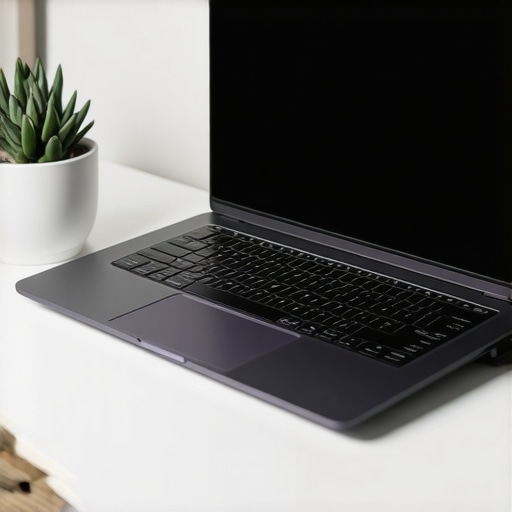
Have you ever spent hours hunched over your laptop, only to realize your neck and shoulders are screaming at you by the end of the day? I used to think that adjusting my chair or stretching occasionally was enough. But then I hit a point where my back pain became too much to ignore, and I knew I had to rethink my entire setup. That was my lightbulb moment. Since then, I’ve discovered how the right laptop stand and accessories can turn a painful, uncomfortable workspace into an ergonomic haven. Today, I want to share what I’ve learned about creating a setup that not only boosts your comfort but also supercharges your productivity.
Why Ergonomics Matter More Than Ever in 2025
It’s no secret that many of us are working longer hours, often from flexible locations. But the truth is, neglecting ergonomics can lead to serious health issues, from chronic neck pain to repetitive strain injuries. According to a 2023 study by the World Health Organization, poor workstation ergonomics are responsible for a significant percentage of workplace musculoskeletal disorders. Investing in a good laptop stand isn’t just about comfort; it’s about safeguarding your health in the long run.
I’ve made my share of mistakes early on, like stacking my laptop on a pile of books or using a makeshift stand that wobbled every time I moved. Trust me, those quick fixes only made things worse. To truly elevate your setup, it’s essential to choose the right accessories designed specifically for ergonomic benefits. Curious whether these accessories are worth the hype? Let’s explore that next.
Is Investing in Laptop Accessories Really Worth It?
It’s a fair question. I was skeptical at first, thinking I could get by with just a new chair or an external monitor. But I quickly learned that the right laptop stand and accessories make all the difference. They help align my screen to eye level, reduce eye strain, and even improve my posture. Plus, a good setup minimizes the risk of long-term health problems that can derail your productivity and quality of life. If you’ve faced similar struggles or are considering upgrading your workspace, keep reading—I’ll guide you through selecting the best accessories for your needs.
Choose the Right Laptop Stand
Start by selecting a stand that elevates your laptop to eye level, which is crucial for reducing neck strain. I once used a stack of books, but it wobbled and caused frustration. Later, I invested in a sturdy, adjustable laptop stand, and the difference was night and day. Look for features like height adjustability, stability, and portability to match your workflow. Avoid cheap plastic stands that wobble or don’t support your device securely. Remember, a good stand is an investment in your health and productivity.
Optimize Your Desk Setup
Position Your Screen Correctly
Place your laptop on the stand so that the top of the screen is at or just below eye level. Use a separate keyboard and mouse to maintain proper arm and wrist positioning. I struggled at first, but once I adjusted my setup, I noticed a significant reduction in shoulder tension. For additional comfort, consider an ergonomic keyboard and an adjustable mouse pad. Proper positioning minimizes strain and prevents long-term injuries.
Manage Cable and Accessory Placement
Keep cables tidy using cable organizers or sleeves, preventing clutter that can cause accidental pulls. Use a USB-C hub to connect peripherals neatly, reducing desk clutter. I found that a well-organized workspace not only looks professional but also saves time when plugging in accessories. Proper cable management also prevents accidental disconnections during work sessions, keeping your workflow uninterrupted.
Enhance Ergonomics with Accessories
Invest in accessories that boost comfort and efficiency. A top laptop sleeve protects your device during commutes, while an external SSD, like those discussed in external SSD tips, ensures fast data access. Additionally, a high-quality USB-C hub expands your connectivity options, enabling seamless multitasking. These accessories work together to create a streamlined, ergonomic workspace that minimizes strain and maximizes productivity.
Test and Fine-Tune Your Setup
After assembling your ergonomic station, spend time adjusting height, angle, and placement. I once spent an afternoon tweaking my stand and accessories, but the effort paid off with increased comfort and focus. Use your body’s feedback — if you feel tension or discomfort, revisit your setup. Small adjustments, like raising your monitor or changing the angle of your keyboard, can make a big difference. Remember, ergonomic optimization is a continuous process; revisit and refine your workspace periodically to stay comfortable and productive.
Many of us fall into subtle traps when optimizing our workspace for ergonomics, thinking that minor adjustments or popular accessories are enough. Let’s dig deeper into these nuances and uncover the hidden pitfalls that can sabotage your efforts. One widespread misconception is that simply elevating your laptop to eye level guarantees comfort. While this is crucial, it’s equally important to consider the entire chain of your workspace setup, including your chair height, monitor distance, and support for your wrists and back. Overlooking these interconnected factors can lead to persistent discomfort despite using a fancy stand or accessories.
Another common myth is that expensive accessories automatically translate into better ergonomics. In reality, the quality and appropriateness of your accessories matter more than their price tag. For example, a cheap, poorly designed laptop stand that wobbles or doesn’t support your device properly can cause more harm than good. Prioritize stability, adjustability, and compatibility over flashy features or brand names.
Are You Falling for the Over-Accessory Trap?
Many enthusiasts collect multiple accessories—external SSDs, USB-C hubs, various sleeves—believing that more gear equals better ergonomics and productivity. However, this can backfire if it results in cluttered, disorganized spaces that make it harder to find what you need or cause you to strain when reaching for devices. A cluttered desk increases cognitive load and can actually reduce your efficiency. Instead, focus on a streamlined setup that integrates essential accessories thoughtfully, such as a USB-C hub that consolidates connections and keeps your workspace tidy.
Furthermore, many overlook the importance of ergonomic posture cues. For instance, positioning your keyboard and mouse at the right height and angle is just as critical as the stand itself. A common mistake is to assume that elevating the laptop alone will fix neck and shoulder issues, but if your arms are elevated or your wrists are bent awkwardly, discomfort persists. Invest in accessories like an ergonomic keyboard or adjustable mouse pad, which can make a significant difference. For more insights, check out the ultimate guide to accessories.
Finally, don’t forget that ergonomics is an ongoing process. Regularly reassess your setup, listen to your body’s feedback, and make incremental adjustments. Even small tweaks, such as changing the angle of your monitor or adjusting your chair height, can prevent long-term issues. Remember, the goal is to create a workspace that seamlessly supports your body’s natural movements and reduces strain. Have you ever fallen into this trap? Let me know in the comments.
Maintaining an ergonomic workspace isn’t a one-time effort; it requires ongoing attention and the right tools to keep everything functioning smoothly. Over the years, I’ve refined my setup using specific equipment and software that help me stay comfortable and productive, even during long work sessions. In this article, I’ll share the tools I personally rely on to keep my ergonomic environment optimized and discuss where this trend is headed in the future.
Invest in Quality Monitoring Software
One of the most underrated tools I use is monitor calibration software. Regular calibration ensures my display’s brightness, contrast, and color accuracy stay consistent, reducing eye strain over time. I personally use DisplayCal. It’s open-source and allows me to set custom profiles, which I update monthly. This practice helps me avoid the fatigue caused by inconsistent screen quality, especially when working late into the night.
Prioritize Cable Management Tools
Cluttered cables can cause accidental disconnections or even strain if they tug on your devices. I swear by magnetic cable organizers and cable sleeves. They keep everything tidy and easy to adjust. For my setup, I use Velcro straps to bundle cables, which makes repositioning my workspace a breeze without risking damage or disconnections.
Upgrade Your Ergonomic Accessories Periodically
Even the best ergonomic tools need updates. I keep an eye on new ergonomic accessories like adjustable keyboard stands and wrist rests. The key is to reassess your comfort and replace or tweak components as needed. For example, I recently swapped my standard mouse for an ergonomic mouse, which drastically reduced my wrist tension during extended work sessions. Staying proactive ensures your setup evolves alongside your needs.
How do I maintain my ergonomic tools over time?
Consistency is vital. I set a monthly reminder to evaluate my workspace, checking for wear and tear or discomfort. I also keep a log of adjustments I make, so I can track what improves my comfort. Additionally, I follow industry updates, such as new USB-C hubs and accessories, to stay ahead of ergonomic trends. This ongoing maintenance prevents issues before they escalate and keeps my workspace feeling fresh and supportive.
Looking ahead, I predict that smart ergonomic tools—like adjustable desks with built-in sensors—will become more prevalent. Integrating AI-driven adjustments could personalize your workspace in real-time, reacting to your posture and movement. To stay ahead, I recommend trying out advanced tools like smart ergonomic accessories. Incorporate these into your setup gradually, and watch how they transform your long-term comfort and productivity.
The Hardest Lesson I Learned About Workspace Ergonomics
One of my biggest mistakes was underestimating the importance of the entire setup, not just elevating my laptop. I thought a good stand would fix everything, but I ignored chair height, monitor distance, and wrist support. The lightbulb moment came when I realized that all these factors are interconnected—neglecting one can sabotage your comfort.
My Eye-Opening Discovery About Cost and Quality
I initially believed that expensive accessories meant better ergonomics. Turns out, quality and fit matter more than price. A wobbling cheap stand can cause more harm than good. I now prioritize stability and adjustability, trusting brands that have proven their durability, like the perfect laptop stand.
The Power of Small Adjustments
Regularly tweaking my setup—raising my monitor slightly, changing keyboard angles—has prevented discomfort over long work hours. Ergonomics isn’t a one-and-done deal; it’s a continuous process. Listening to my body’s signals and making incremental changes keeps me productive and pain-free.
Curated Tools That Keep Me Comfortable
My essential ergonomic toolkit includes a sturdy laptop stand, a quality ergonomic keyboard, and cable management tools like Velcro straps. These help me stay organized, reduce strain, and adapt quickly if I need to change my workspace.
Future-Proof Your Workspace with Smart Tech
I believe the future of ergonomics involves AI-driven adjustable desks and sensors that react in real-time to your posture. Exploring smart ergonomic accessories now can prepare you for these innovations. Staying proactive ensures your workspace evolves with your needs, keeping discomfort at bay.